Real Power Train V1.1.1
Real Power Train V1.1.1
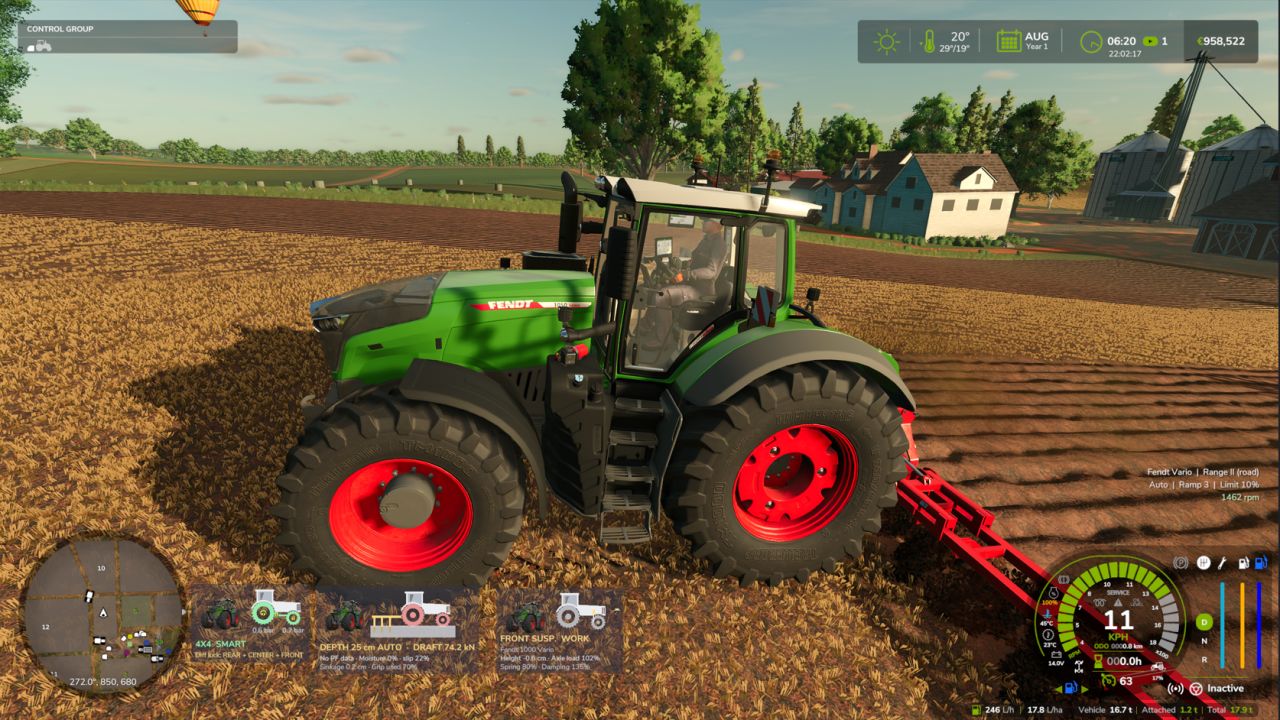
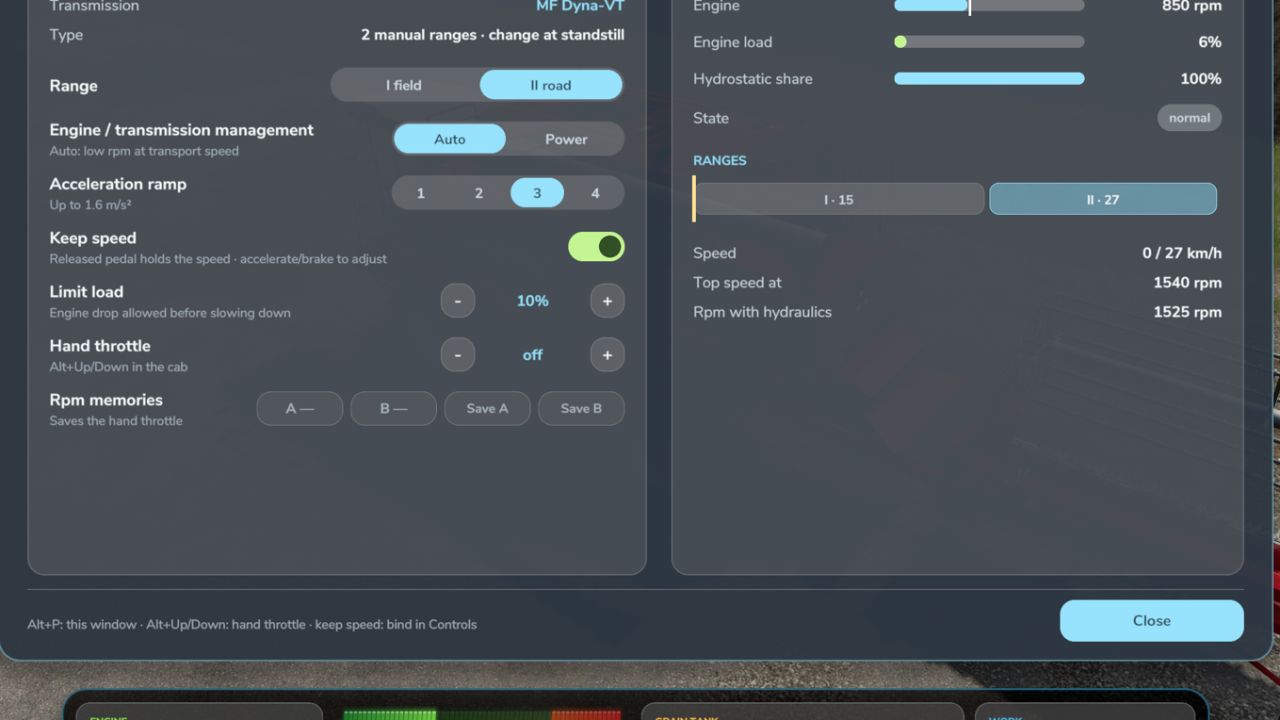
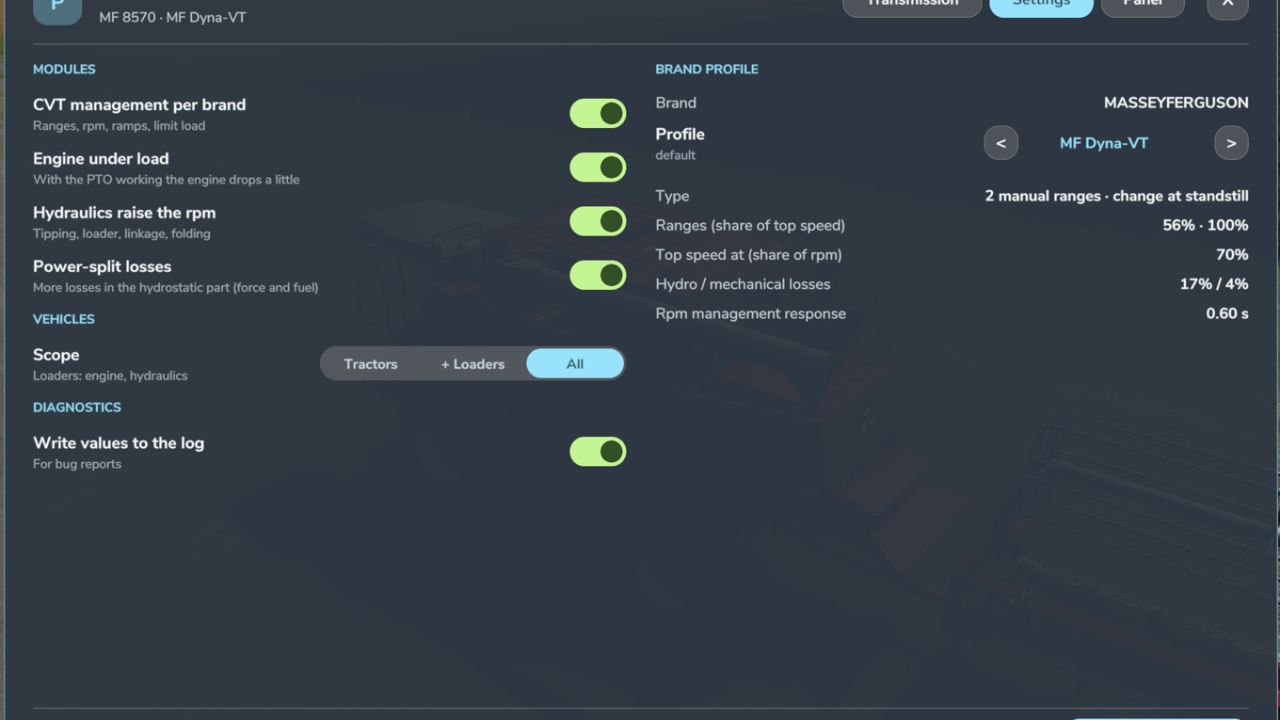
Realistic CVT per brand: Fendt Vario and MF Dyna-VT with 2 manual ranges (field / road, change only at standstill); CVXDrive (Case IH, Steyr, New Holland), JD AutoPowr, CLAAS CMATIC, Deutz TTV, Valtra Direct and Kubota KVT with 4 automatic ranges and almost unnoticeable shifts.
Engine / transmission management Auto (economy, low rpm at transport speed) or Power, limit load, acceleration ramps 1-4.
Hand throttle with two rpm memories A / B (saved with the savegame), like real tractors.
Power-split efficiency: more losses in the hydrostatic part, which shows in pulling force and fuel use.
Engine under load: with the PTO working the engine drops a little instead of being locked at PTO rpm.
Hydraulics raise the engine rpm (tipping, loader, linkage, folding) and return to idle afterwards.
Own window (Left Alt + P): Transmission tab with live rpm and target, engine load, efficiency, hydrostatic share and a range strip; Settings tab (modules, which vehicles, CVT profile per brand, applied at once); Panel tab (on / off, text size, move with the mouse).
The CVT module turns itself off if CVT Addon, RealismAddon Gearbox or VCA is active.
Zasty HUD shows the range and the hand throttle; the panel hides when the HUD is active.
Multiplayer supported.
KEYS (default)
Left Alt + P: Real Powertrain window
Left Alt + Up / Down arrow: Hand throttle (hold)
These are the default keys. If one of them is already used by the game or by another mod, go to Options > Controls and set the key you prefer, to avoid conflicts.
V1.1.1.0
New: Keep speed (asked by the community). Release the pedal and the tractor holds the speed it had, like the drive lever of real CVT tractors. Accelerate to go faster, brake to slow down; release again and the new speed is held.
Works forward and in reverse. Forward it uses the game’s cruise control; in reverse the mod presses the pedal for you and adjusts it to hold the speed. It lets go when you accelerate, brake, use the cruise control keys, or when the tractor stops.
Your own cruise control speed is given back when keep speed lets go.
On/off in the window (Left Alt + P, Transmission tab). Saved per player in modSettings.
Shown on the panel (KS / KS active) and as a chip in the window.
Multiplayer supported.
IMPORTANT
Keep speed has NO default key. To switch it on/off while driving, bind a key in Options > Controls > “Keep speed (on/off)”.
Keep speed works with the CVT management. If it does not work on a combine (or another machine) with a CVT, open the mod window (Left Alt + P) > Settings > Vehicles and choose “All”. By default only tractors are managed.
Author: zasty chalk, ryankd233