Realistic Harvesting V1.6.5

Realistic Harvesting V1.6.5
Realistic Harvesting for FS25
Transform your harvesting experience into true agricultural simulation! Combines can no longer unrealistically sprint at full speed through dense crops without consequences. Working speed, engine load, and yield efficiency are dynamically driven by crop density, cutting width, moisture, and your machine’s mechanical calibration.
Key Features
Physics-Based Engine Load & Speed: Ground speed dynamically adapts based on harvested crop mass (t/h), header width, and vehicle horsepower. Overloading the engine or using incorrect settings results in real grain loss.
All Machine Types Supported: Fully calibrated physics for Grain Combines, Forage Harvesters (chaff/silage), Root & Vegetable Harvesters (potatoes, beets, carrots, parsnips, spinach, peas), Cotton, and Sugarcane.
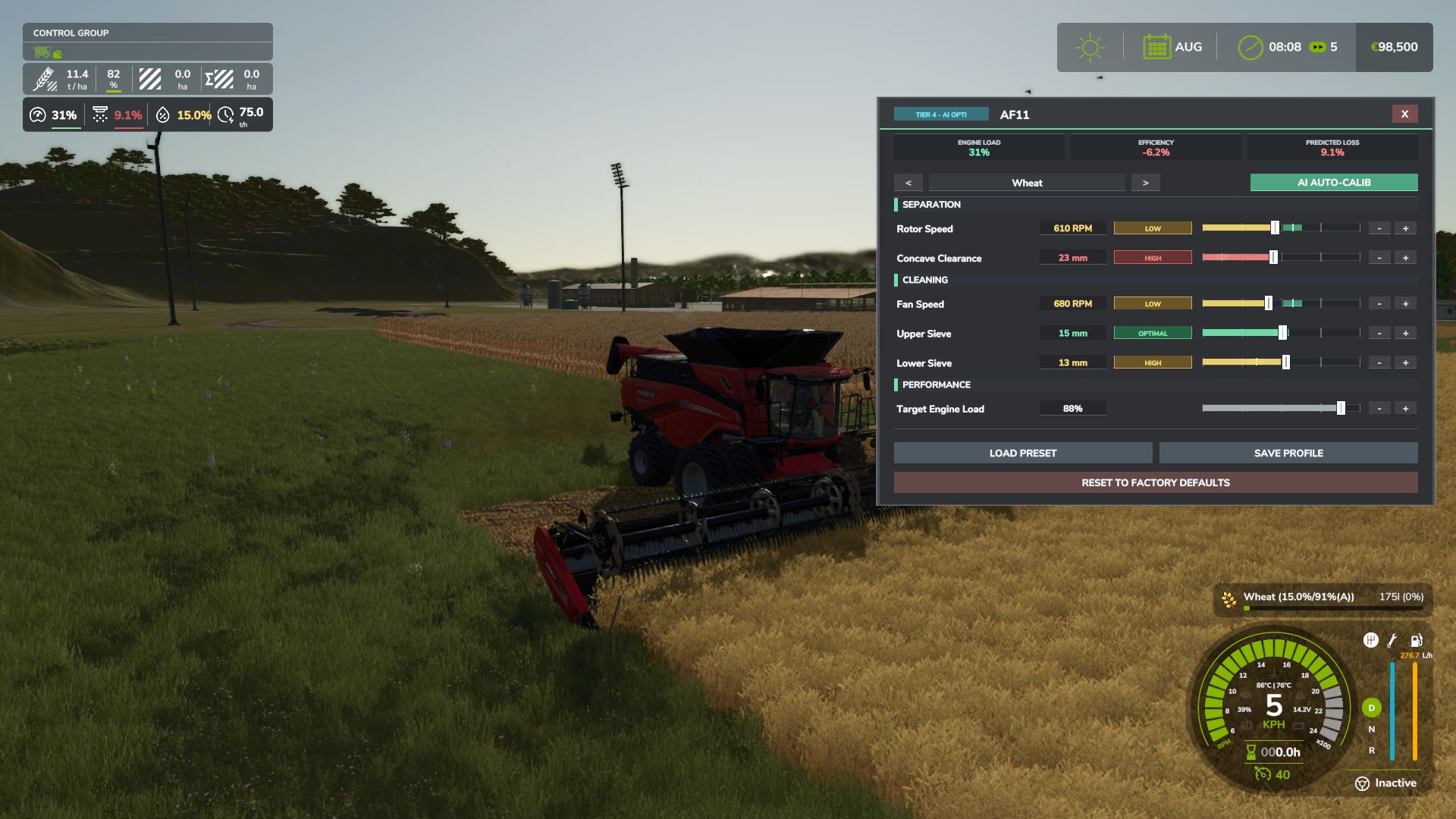
Interactive Combine Calibration (`RShift + K`): Calibrate Rotor/Drum RPM, Concave Clearance, Fan Speed, and Sieves for each crop. Correct settings ensure maximum yield and minimum loss.
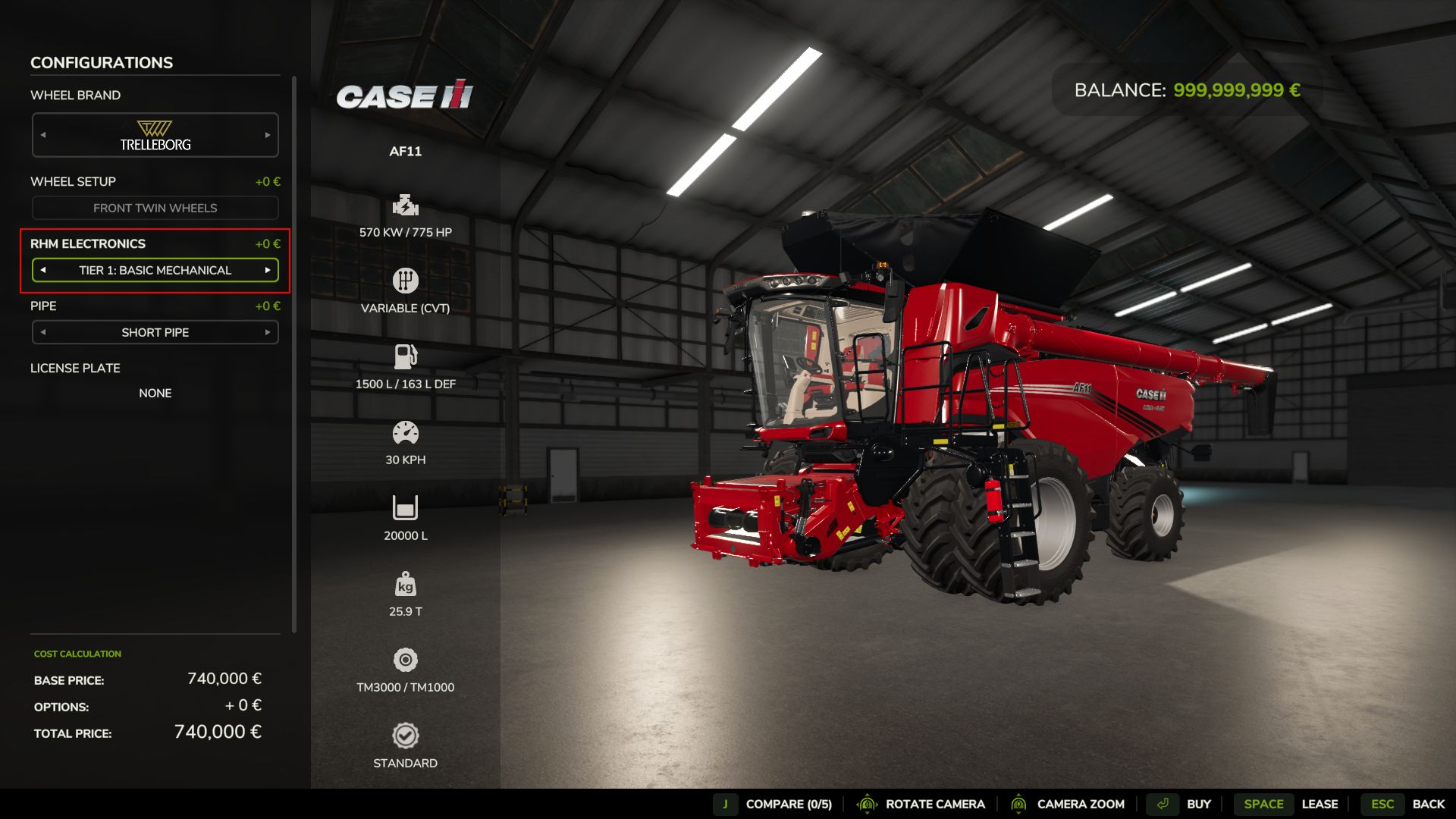
Workshop Upgrade Packages (Tiers 1–4): Upgrade your combine at the shop:
Level 1 (Standard): Fully manual operation.
Level 2 (Sensor Kit): Displays calibration guidance hints (low / optimal / high).
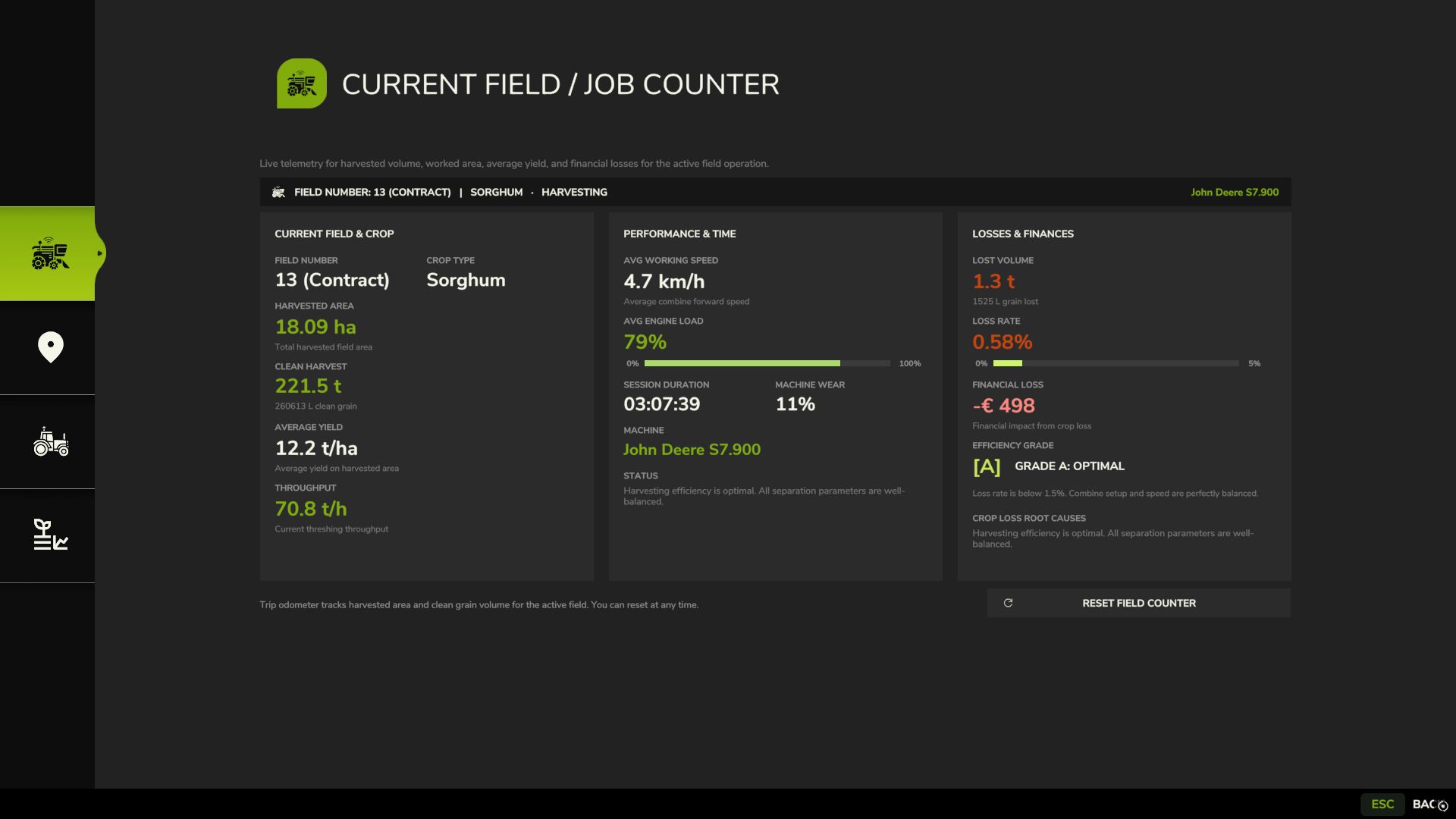
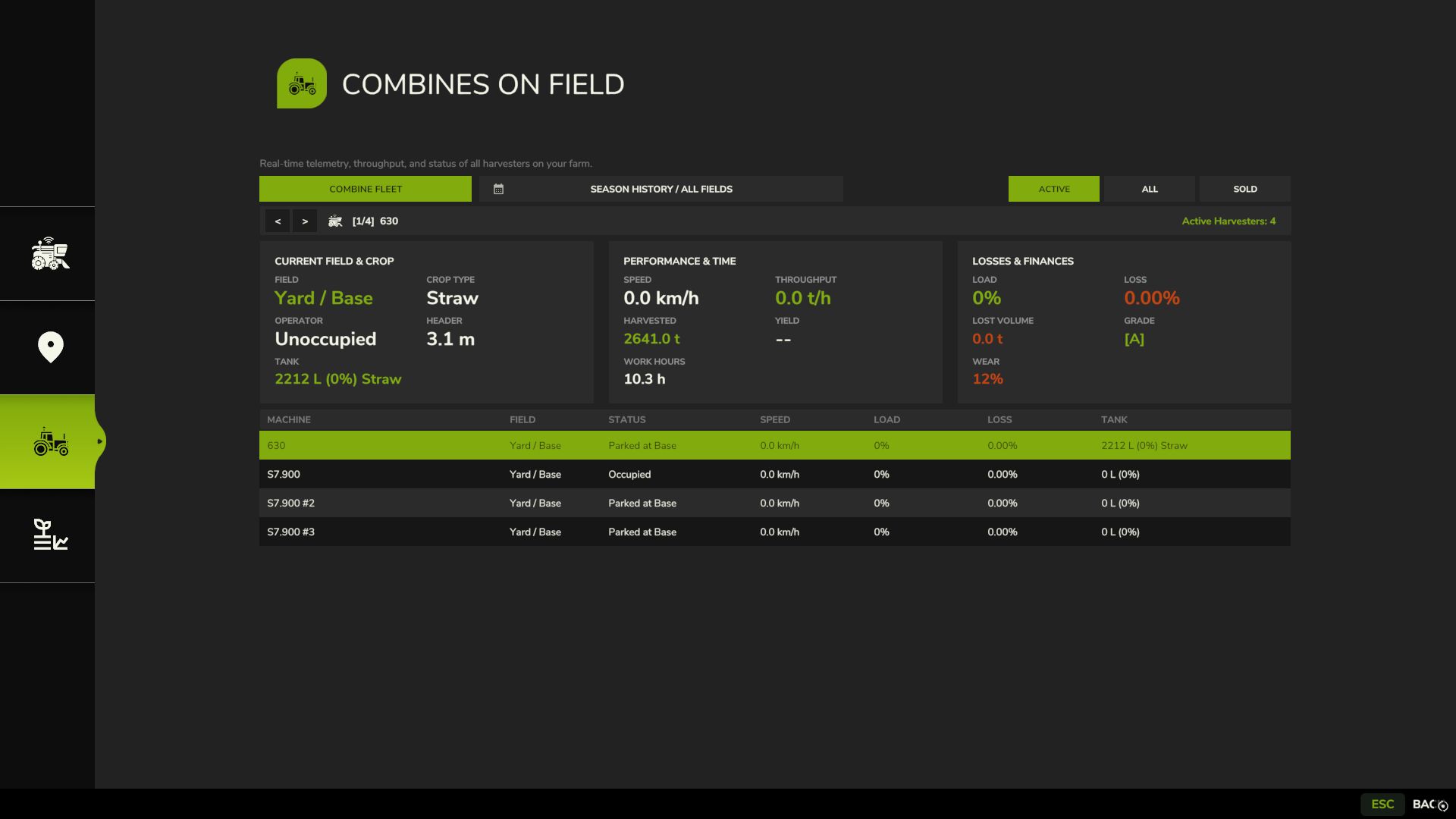
Level 3 (Yield Monitor): Real-time yield (t/ha, bu/ac), area rate (ha/h), and moisture telemetry.
Level 4 (Opti-Harvest AI): Automatic settings calibration and automated speed management.
AI & Courseplay Compatibility:** AI helpers and Courseplay workers automatically utilize your saved profiles or optimal calibrations.
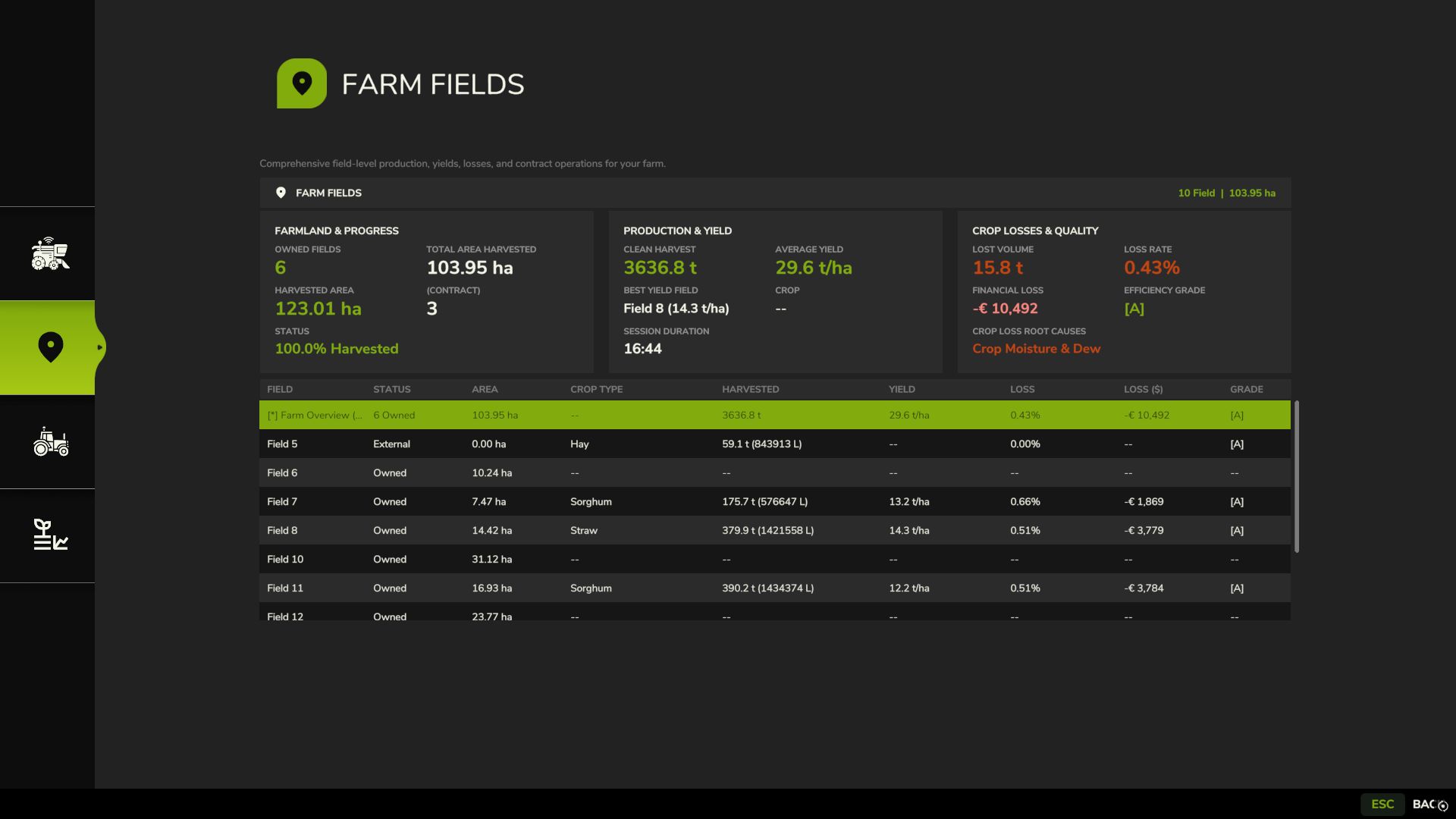
Draggable HUD: Clean, movable on-screen display showing live Engine Load, Productivity (t/h, ha/h), Crop Loss %, and Moisture.
Global Crop Profiles: Save your favorite tuning once — profiles automatically load across your combines and savegames.
3 Difficulty Modes (ESC Settings): Choose between Arcade (relaxed), Normal (balanced), or Realistic (strict physical limits and penalties).
V1.6.5.0
Many thanks to Squall for the help
Added:
Public API Wear Provider (RHM_Api.registerWearProvider, RHM_Api.getWearProviderValue): Allows mechanical wear and failure simulation mods (such as Realistic Mechanical Systems) to supply real-time engine horsepower (including engine wear and tuning), extra processing power demanded by worn knives/rasp bars, and threshing wear loss up to 50%. Without an external wear mod, standard RHM physics operates autonomously with zero overhead.
Improved
– Direct Hopper Intake Loss Scaling: Crop losses are now calculated directly at intake via (1.0 – lossRatio) during cutting rather than post-tick fill-level subtractions, completely eliminating negative bunker values and fill-level bounce on empty hoppers.
– Engine Peak Power Detection: Resolves live runtime peak horsepower directly from the engine’s VehicleMotor instance, supporting powertrain upgrades and chip tuning.
– Low-Power Harvester Speed Curve: Speed governor floor lowered to 1.8 km/h with adaptive 3.5 km/h field entry speed for sub-160 HP harvesters (e.g. FM Bizon).
HUD Visual Polish & Pixel Alignment:
– HUD background now matches the authentic base game HUD background color (HUD.COLOR.BACKGROUND), seamlessly blending with the F1 help menu.
– Cell layout polished with pixel-based spacings across all aspect ratios (16:9, 21:9 UltraWide, 4:3), while fully preserving status badges ([A] 0.3%), sub-lines (-> 3.0 km/h, field progress), and colored indicator underlines.
Fixed
– Disappearing Horizontal Divider Line: Replaced subpixel hardcoded thickness with native 1-pixel screen height (g_pixelSizeY) and 0.25 opacity, ensuring separators never vanish regardless of F1 menu height or resolution.
– HUD Reset Console Commands: Fixed rhmResetHUD and rhmResetSettings pinning the HUD at fixed coordinates instead of returning it to dynamic docking under F1.
– Arcade Power Telemetry Freeze: Fixed getPowerBreakdown diagnostic telemetry remaining frozen in Arcade engine mode by saving breakdown telemetry prior to the arcade bypass.
– Replace duplicate czech text in l10n_cs with authentic simplified chinese
Author: exekx