Scania Touring 2026 V1.0.7.1
Scania Touring 2026 V1.0.7.1
PASSENGER AND AIRPORT SERVICE COACH
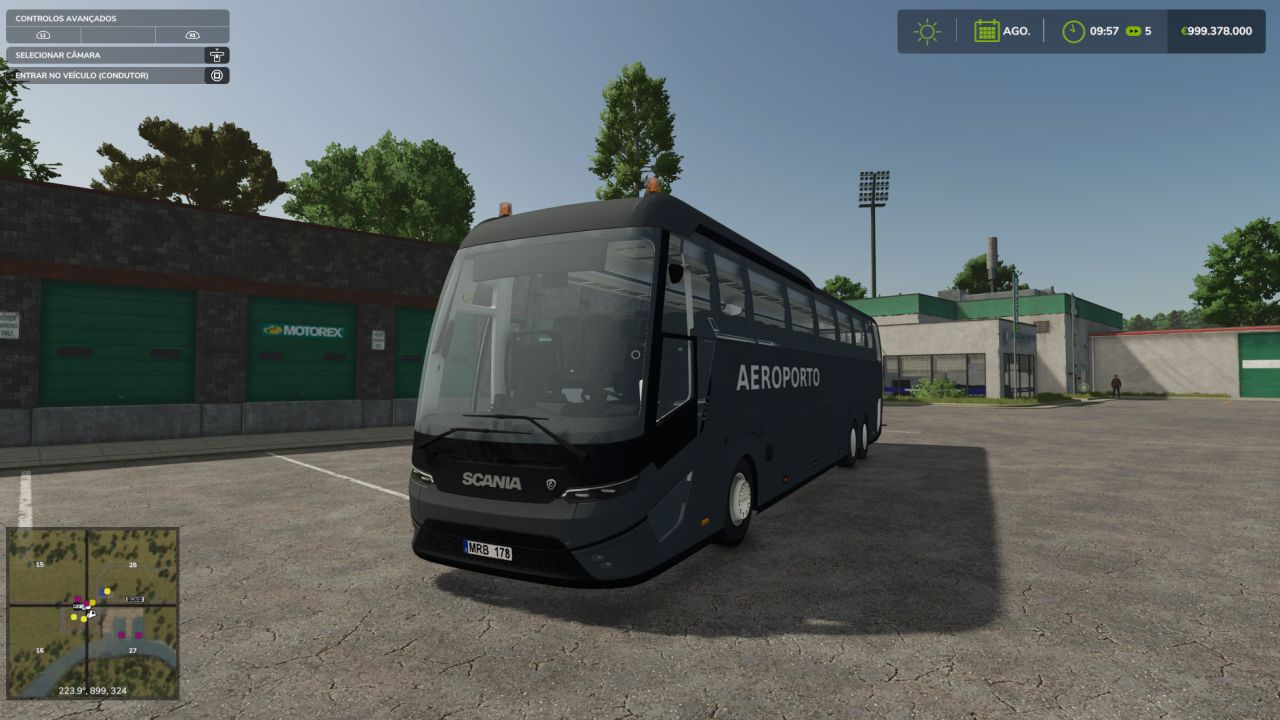
Bring the Scania Touring 2026 to Farming Simulator 25.
This detailed passenger coach is designed for passenger transport roleplay, airport shuttle operations, long-distance road driving and realistic bus simulation.
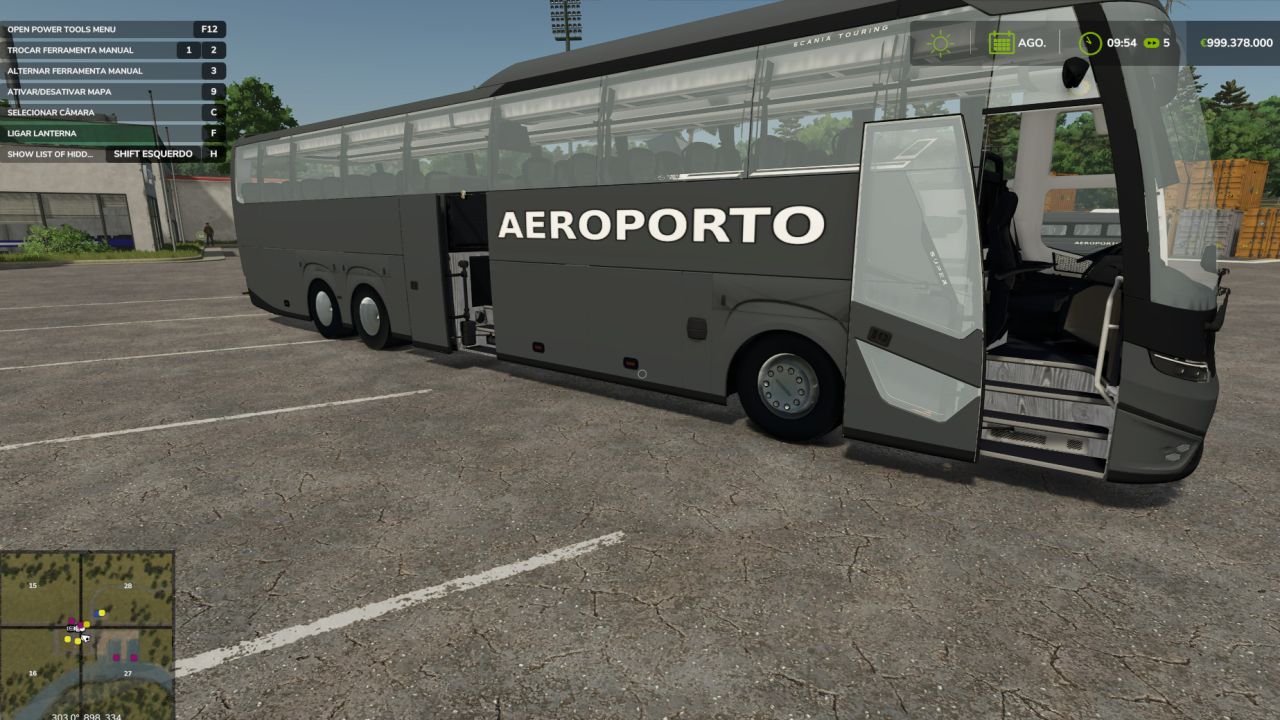
The FS25 adaptation includes a detailed exterior and interior, animated passenger doors, automatic pneumatic suspension, custom diesel engine sounds, functional lighting and eight selectable body colours.
The vehicle is particularly suitable for airport operations, allowing players to create realistic passenger transport scenarios.
MAIN FEATURES
Detailed Scania Touring 2026 model.
Three-axle passenger coach.
Six-wheel configuration.
Detailed exterior bodywork.
Spacious passenger compartment.
Airport service lettering.
Three animated door controls.
Front passenger entrance with animated door.
Rear passenger door animation.
Alternative front door operating modes.
Door operation from inside the vehicle.
Interactive front entrance operation from outside.
Automatic pneumatic suspension.
Pneumatic suspension sound effects.
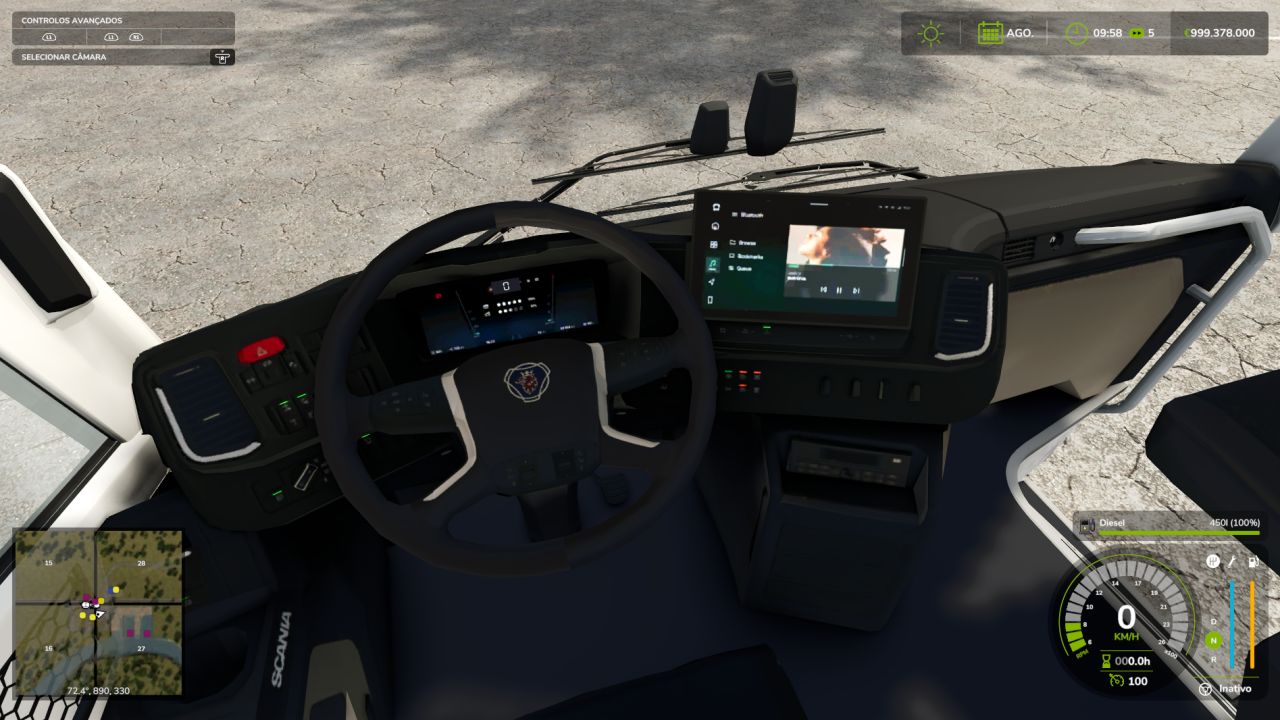
Functional steering wheel.
Detailed driver dashboard.
Digital instrument displays.
Interior driving camera.
Exterior driving camera.
Detailed passenger seats.
Large panoramic windows.
Eight selectable body colours.
Functional headlights.
Brake lights.
Reversing lights.
Roof warning beacons.
Custom diesel engine sounds.
Diesel consumption and refuelling.
AUTOMATIC PNEUMATIC SUSPENSION
The Scania Touring features a custom automatic pneumatic suspension system.
The suspension automatically adjusts the vehicle’s ride height while stationary.
This system provides additional realism during vehicle operation.
Pneumatic sound effects accompany suspension movements.
The suspension is controlled automatically through a custom Lua script.
ANIMATED PASSENGER DOORS
The Scania Touring includes an interactive door system with three dedicated controls.
The front passenger entrance can be operated using different animation controls.
The rear passenger door features its own animation.
The front entrance can also be operated from outside the vehicle using the available interaction action.
Door animations are designed to operate while the vehicle is stopped.
CONTROLS
Left Alt + 1: Front door animation cycle.
Left Alt + 2: Front passenger door.
Left Alt + 3: Rear passenger door.
Outside the vehicle: Use the interaction action near the front entrance.
Standard Farming Simulator 25 controls are used for driving, lighting, warning beacons and refuelling.
DETAILED INTERIOR
The Scania Touring includes a detailed driver’s cabin and passenger compartment.
Scania steering wheel.
Detailed dashboard.
Instrument cluster.
Digital display.
Multimedia screen.
Driver’s seat.
Multiple passenger seats.
Interior driving camera.
Large panoramic windows.
Detailed entrance steps.
The interior is designed to provide a realistic driving experience.
ENGINE AND SOUNDS
The Scania Touring features a custom diesel engine sound configuration.
Engine starting sounds.
Engine stopping sounds.
Diesel engine operation sounds.
Automatic pneumatic suspension sounds.
Maximum speed of 100 km/h.
Diesel fuel consumption.
Fuel tank capacity of 450 litres.
LIGHTING SYSTEM
Functional headlights.
Brake lights.
Reversing lights.
Roof warning beacons.
Standard Farming Simulator 25 lighting controls.
AVAILABLE BODY COLOURS
Factory White.
Graphite.
Silver.
Midnight Blue.
Ruby Red.
Forest Green.
Sand.
Ice Blue.
AIRPORT OPERATIONS
The Scania Touring is particularly suitable for airport service roleplay.
The vehicle can be used to simulate passenger transportation between airport terminals, aircraft parking areas and other airport facilities.
The airport lettering gives the vehicle a dedicated airport service appearance.
This makes it a suitable addition to airport-themed Farming Simulator 25 maps.
VEHICLE SPECIFICATIONS
Brand: Lizard
Model: Scania Touring 2026
Price: 210,000 EUR
Engine type: Diesel
Maximum speed: 100 km/h
Fuel capacity: 450 litres
Vehicle mass: 15,700 kg
Length: 13.70 metres
Width: 2.46 metres
Height: 3.55 metres
Number of axles: 3
Body colour options: 8
Version: 1.0.7.10
Game: Farming Simulator 25
Multiplayer: Not supported
INSTALLATION
Download the Scania Touring ZIP file.
Place the ZIP directly in your Farming Simulator 25 mods folder.
Activate the Scania Touring in the mod selection menu.
Purchase the vehicle from the in-game vehicle shop.
IMPORTANT INFORMATION
This vehicle is designed for passenger transport simulation and airport roleplay.
The passenger compartment is visually detailed.
Passenger transportation missions are not included.
The animated doors and automatic pneumatic suspension use custom Lua scripts.
The vehicle is configured for single-player use.
Some functions may behave differently depending on the map and game configuration.
If you encounter errors or warnings related to this mod, please report them in the comments and include the relevant log.txt messages whenever possible.
I always do my best to ensure that my mods work correctly and produce as few errors as possible.
Your feedback helps me identify problems and improve future updates.
Author: tiinguives81