Sowing date and moisture content V1.0

Sowing date and moisture content V1.0
Your planting date finally matters. Farming Simulator 25 does not remember when you planted. This mod does—for every part of every field—and uses it to give your crops realistic moisture. Early-planted corn dries down first. Late-planted corn is harvested wetter as autumn gets cooler. No two fields are exactly alike.
Developed around planting and harvesting windows in northwestern Ohio and northeastern Indiana, and calibrated using Ohio State University research on planting dates.
Features
Planting date tracking: records when each part of a field was planted and saves it with your savegame.
Moisture based on planting date: maturity and drying are determined by your planting date, the season and the weather—not just the game’s growth stage.
Hybrid randomization: each field receives a variety when it is first planted in a given year.
Corn: hybrids with 100–116 days to maturity.
Soybeans: maturity groups 2.6–3.8.
Small grains: early, medium or late.
When planting begins, you receive a notification, e.g. “Field 12: planting 112-day corn”.
Moisture varies across the field: the combine’s live display changes as you drive and carries over to bunkers, trailers and silos.
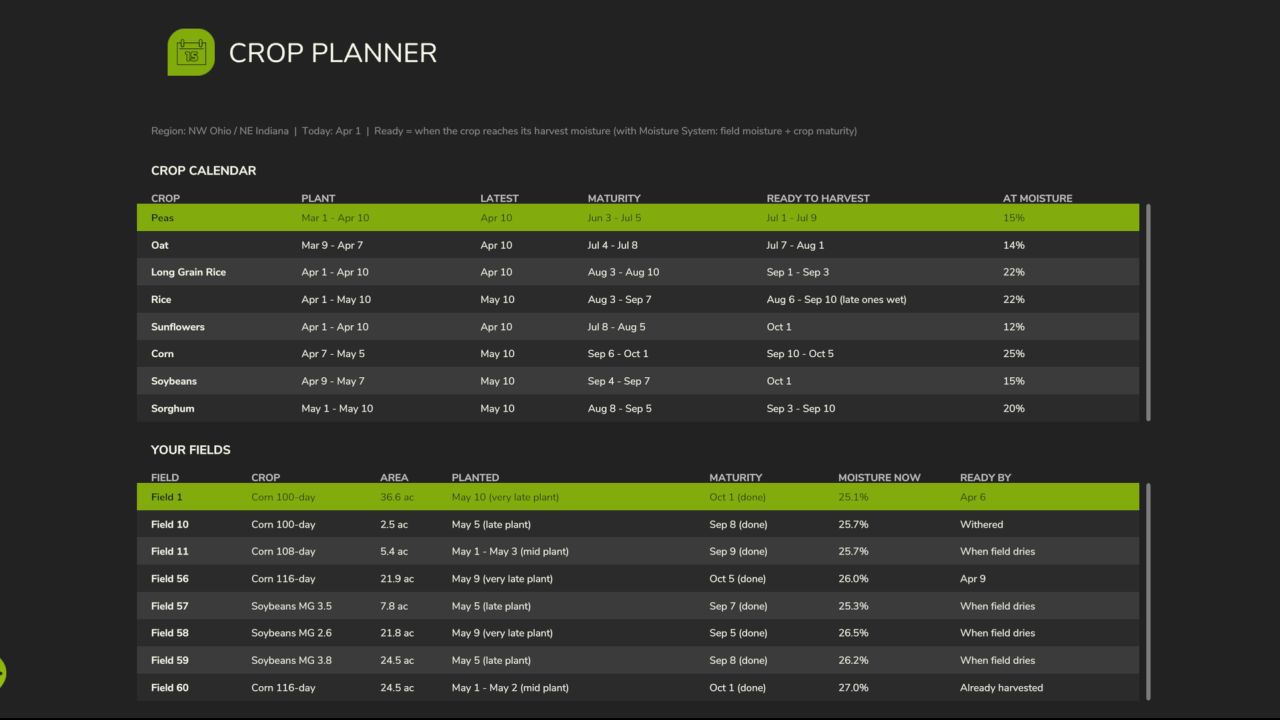
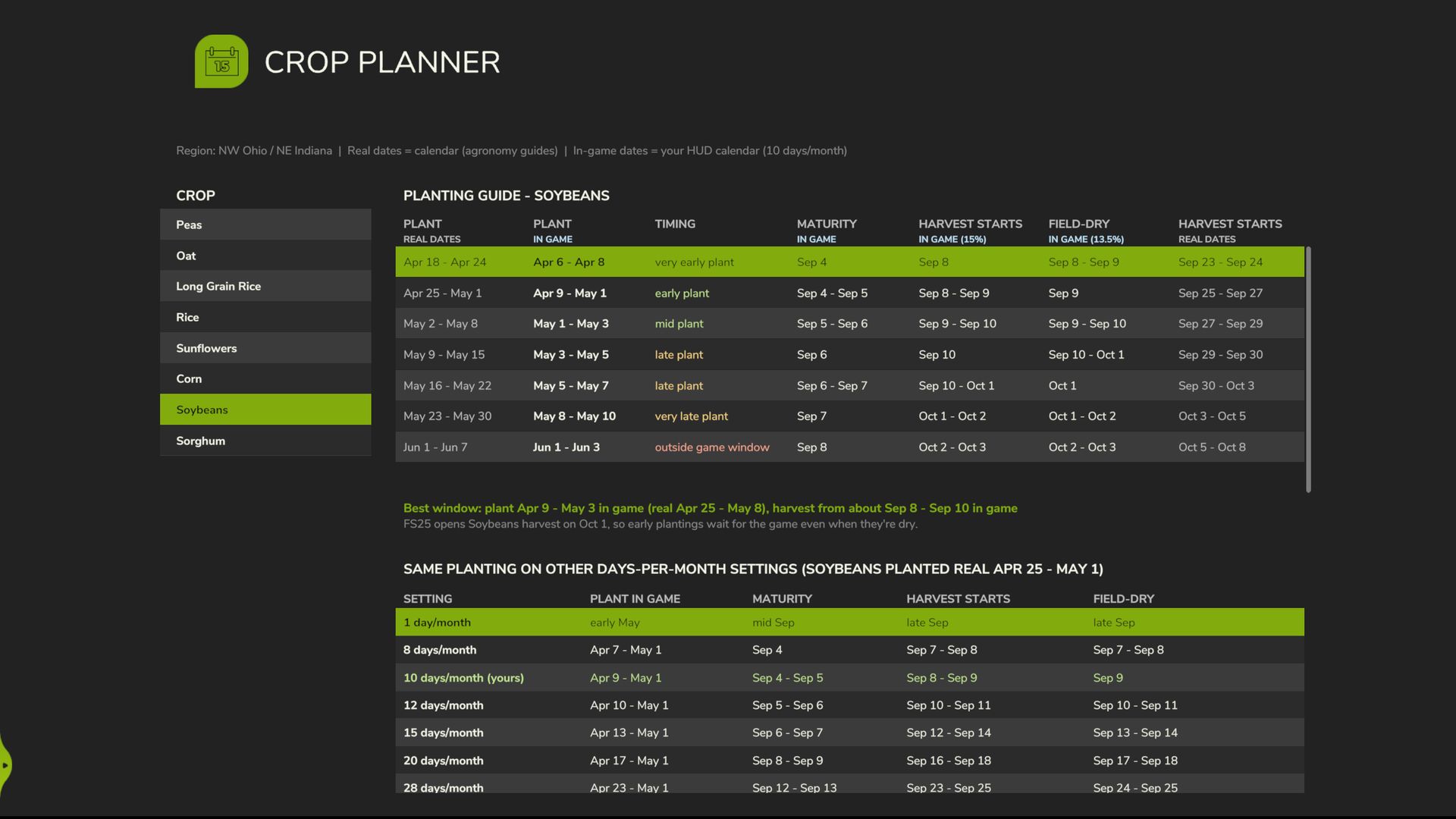
“Crop Planner” tab in the ESC menu:
A crop calendar with recommended planting and harvesting windows.
Every planted field with its hybrid, planting date, maturity, current moisture and estimated ready date.
A planting guide showing what you can plant this week and approximately when it will be ready—with real-world and in-game dates.
Field info box: planting date with “early/late” designation, variety, maturity, grain moisture, the game’s crop growth stage and the corn growth stage (V5, V8 …).
Late planting warnings: you receive a notification when a crop was planted too late to be finished before the end of the game’s harvest season.
Any days-per-month setting: the dates match your in-game calendar, whether you play with 1, 8, 12 or 28 days.
Windrow drying: windrows dry according to their own clock (with Moisture System 2.0.0.10+).
Author: NEOFarms