Straw Harvest Height Priority v1.0
Straw Harvest Height Priority v1.0
Version: 1.0.0.0
Game: Farming Simulator 25
Tested With: FS25 v1.24.0.0+
What this fix does
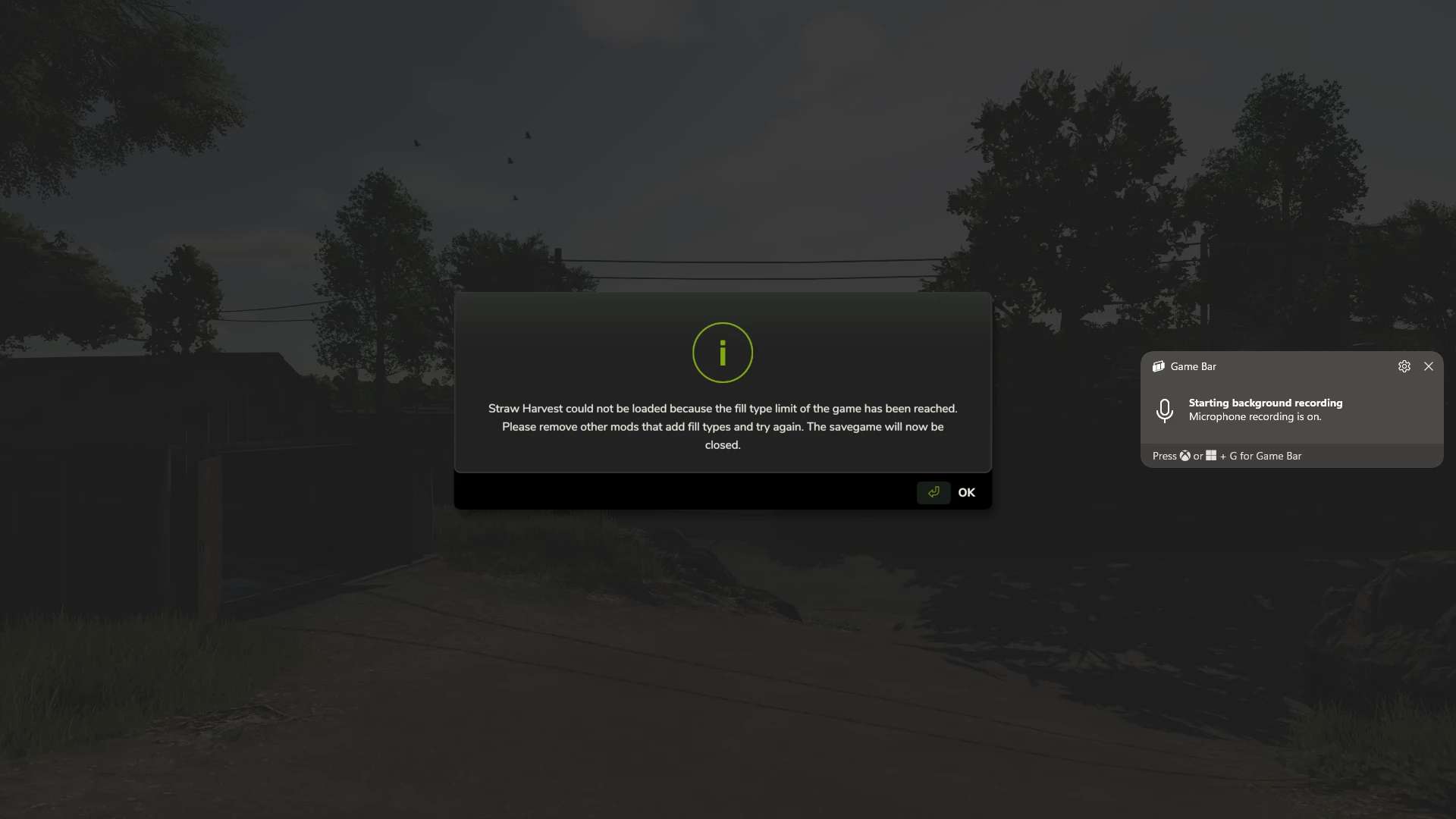
After the FS25 1.24 update, some heavily modded saves began failing to load with a message stating that the fill type limit had been reached, even when a FillType Extender was installed.
In the affected saves tested, the actual problem was not the normal FillType limit. The map had reached its DensityMap HeightType limit, preventing Straw Harvest from registering the ground materials it requires.
This fix gives priority to:
HAY_PELLETS
STRAW_PELLETS
That allows Straw Harvest to register its required pellet materials and lets the savegame continue loading instead of being closed during startup.
Important: This is a workaround
This mod does not truly increase the map’s DensityMap HeightType capacity.
does not edit the map
does not edit the savegame
does not convert a 63-HeightType map into a 127-HeightType map
does not change the physical density-map channels stored in the map
Instead, it changes which materials receive priority when the available ground HeightType slots are already full.
What happens to the other fill types?
Because Straw Harvest is being given priority, some other custom materials may lose their DensityMap HeightType slot.
This does not normally mean the FillType itself is removed from the game.
A dropped material can generally still work in systems that support that FillType, including:
trailers
silos
productions
storage facilities
sell points
fill triggers
supported machinery and fill units
The main thing it loses is the ability to exist as a loose physical pile on the ground.
For example, a material may still be loaded into a trailer, transported, stored in a silo, and used by a production, but you may not be able to dump it directly onto the terrain as a loose pile and later scoop it back up.
Any mod or gameplay feature that specifically depends on that material existing as a ground pile may therefore be affected.
Materials seen losing ground HeightType support during testing
Depending on the map and mod setup, affected materials may include things such as:
MAIZESTALKS_PELLETS
SILO_GRASS
SILO_CLOVER
SILO_ALFALFA
GRASS_FERMENTED
ALFALFA_FERMENTED
CLOVER_FERMENTED
LIMESTONE
COAL
SOIL
DIRT
GRAVEL_FINE
GRAVEL_COARSE
GRAVEL_MIXED
GRAVEL_TUMBLED
SAND
TOPSOIL
POTSOIL
CHARCOAL
IRONORE
SEPARATED_MANURE
The exact materials affected will depend on the map and which mods are loaded.
Recommendation
If you do not use the Straw Harvest Pack, the better option for now is to leave Straw Harvest disabled instead of using this workaround.
That avoids reserving HeightType slots for HAY_PELLETS and STRAW_PELLETS, leaving those limited ground-material slots available for the other custom materials used by your map and mods.
If you do need Straw Harvest, this fix allows the save to load, but the tradeoff is that some lower-priority custom materials may no longer be able to form loose piles on the terrain.
Installation
Place ZZZ_FS25_StrawHarvestHeightPriority.zip directly into your Farming Simulator 25 mods folder.
Do not rename the mod. The ZZZ_ prefix is intentional and helps ensure the mod loads at the correct point in the mod-loading order.
When you should use this mod
Use this fix if:
your save stopped loading after the FS25 1.24 update
Straw Harvest reports that the FillType limit has been reached
you already have a FillType Extender installed
the save closes during loading because Straw Harvest cannot register its pellet materials
you need Straw Harvest enabled
you understand that some other custom materials may lose ground-pile support
When you probably should NOT use it
Do not use this workaround unless you need it.
If you do not use Straw Harvest, disabling Straw Harvest is currently the cleaner option because it avoids sacrificing DensityMap HeightType slots used by other custom materials.
Tested successfully
Tested successfully on Farming Simulator 25 v1.24.0.0 with Straw Harvest enabled on a heavily modded save that previously failed during startup.
With this fix enabled:
the save loaded successfully
Straw Harvest no longer closed the save during loading
HAY_PELLETS and STRAW_PELLETS were able to register
other custom FillTypes remained available for normal fill systems, although some lost loose-ground-pile support due to the map’s existing HeightType limit
Final note: This is intended as a temporary compatibility fix until a better solution is available from GIANTS, Straw Harvest, the map author, or another method that safely increases the actual DensityMap HeightType capacity without modifying the map.
Author: Just Joe