Taxi Service V1.1
Taxi Service V1.1
Taxi Service adds a simple, immersive and fully configurable paid transportation system to Farming Simulator 25.
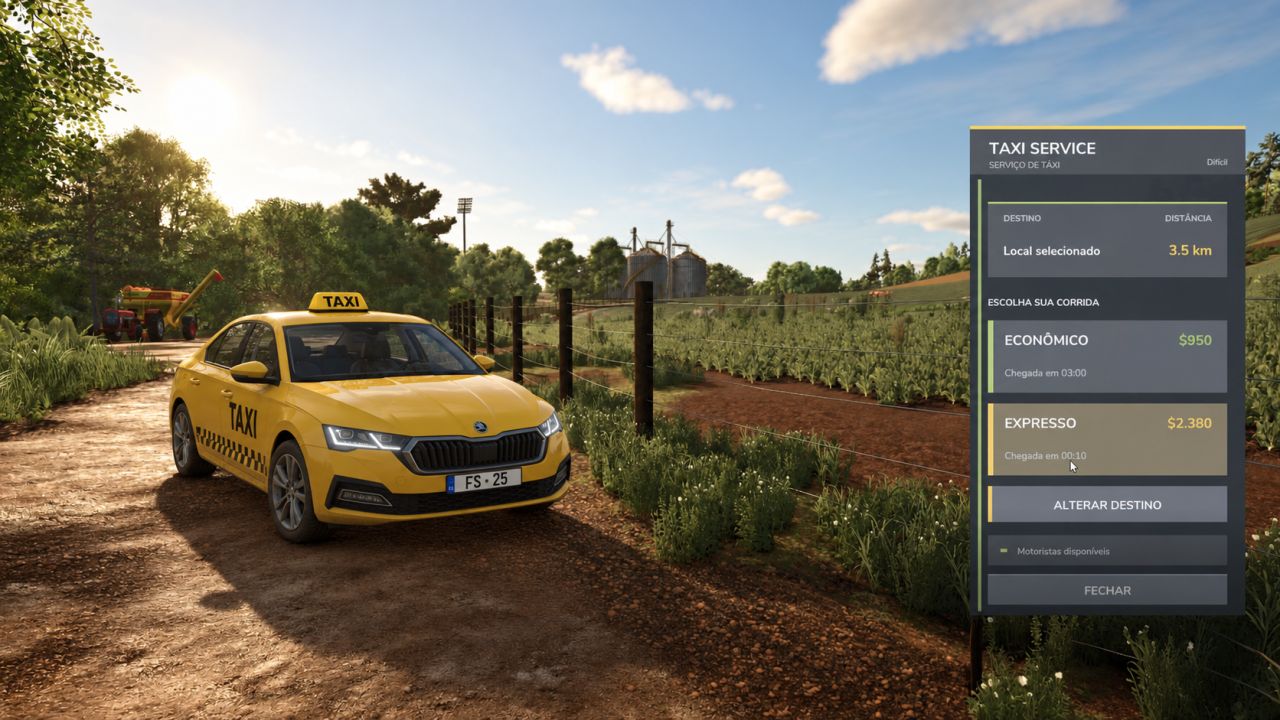
Open Taxi Service, choose your destination directly on the FS25 map and select between Economy or Express options. The fare is calculated according to the distance traveled and the economic difficulty of your game.
Supports single-player and multiplayer.
V1.1.0.0
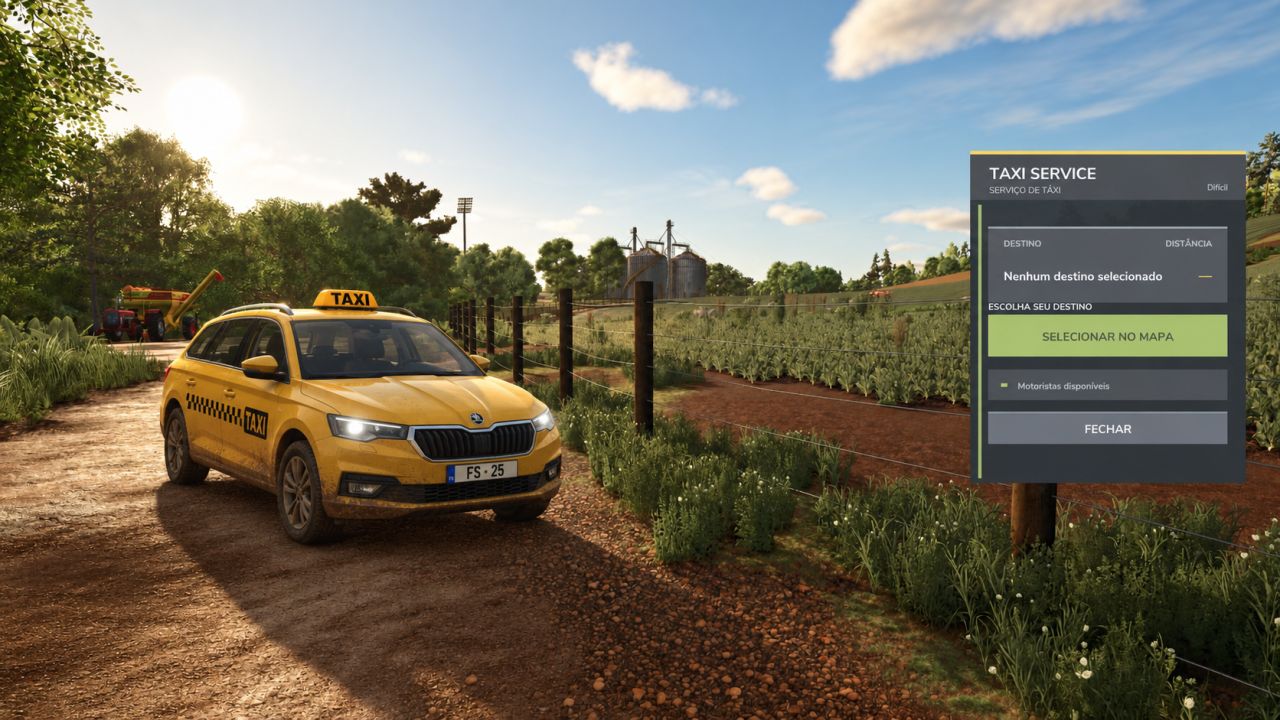
Taxi Service interface completely redesigned, now more compact and with an app-like appearance.
New usage flow: the home screen now displays destination selection first.
The Economy and Express options now only appear after a destination has been selected.
Destination selection now opens directly on the Farming Simulator 25 map.
Added use of the FS25 map’s native cursor during selection.
After choosing the destination, pressing ESC automatically returns to Taxi Service.
Added clearer display of the selected destination and trip distance.
Added the Change Destination option without needing to close and restart the process.
Added visual hover and selection states for buttons and trip options.
New graphite, green and taxi yellow visual style, more integrated with the FS25 interface.
The instructions displayed while choosing the destination on the map have been revised.
Texts adjusted for better compatibility with the Farming Simulator 25 font.
The pricing, charging, cooldown, multiplayer, dedicated server, teleportation and audio logic from version 1.0.0.0 has been preserved.
Author: Betin Modding