Used Equipment Yards V1.0.0.2


Used Equipment Yards V1.0.0.2
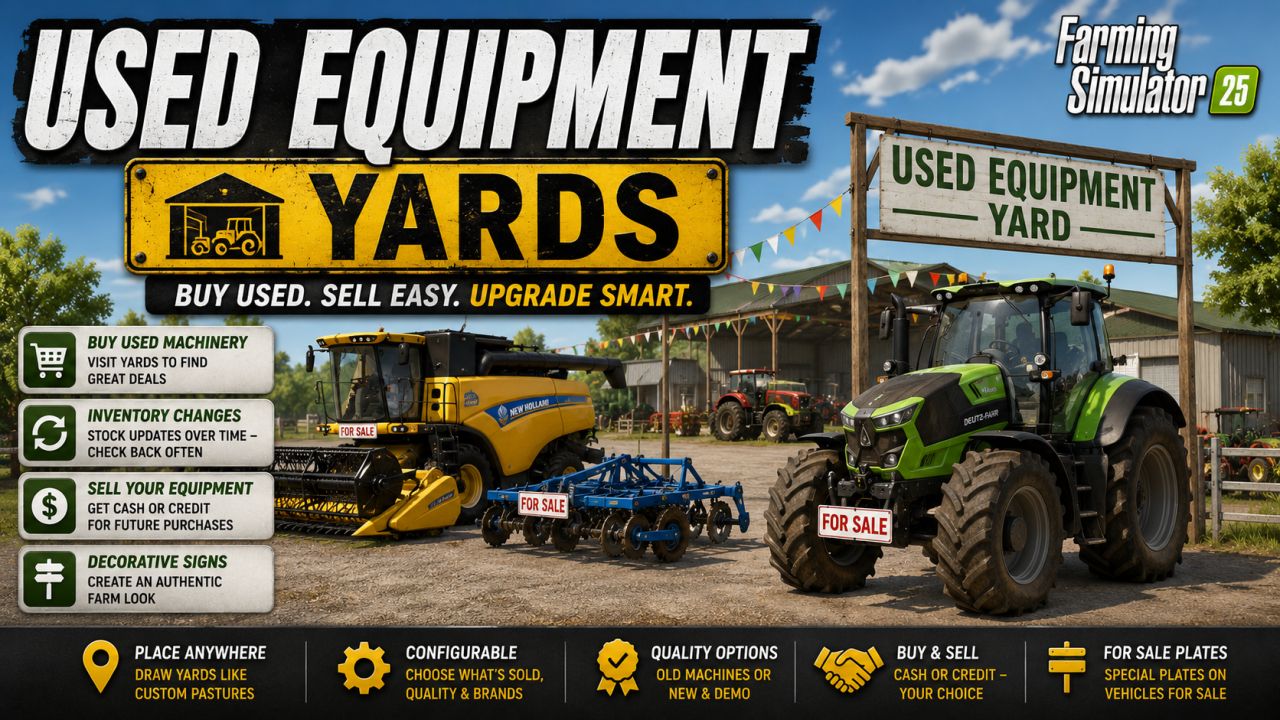

With this mod, you can place yards for used machinery on your map, where you can purchase used vehicles and equipment.

Draw the farms in the same way you define custom pastures.

You can place them anywhere on the map.

Visit the farms in person to see what’s available.

Inventory changes over time, so check back regularly.

There’s no separate menu.

Configure the farms to determine what kind of equipment is sold there—including quality and available brands.

Choose from a range of quality options:
Either represent a used equipment yard with older machines or simulate a dealer’s lot with new or demo vehicles.
Sell your own equipment to the farms—either for cash or as credit to use toward future purchases.
The mod also includes decorative signs to help you create an authentic farm setting.
A huge thank you to Mr Dexxx for these assets!
Vehicles for sale feature special “For Sale” license plates—thanks to Mark Thor for those.
When you draw a farm for the first time, it won’t initially display any listings.
It takes some time for the inventory to be generated; furthermore, you must visit the farm in person
for the items for sale to become visible.
If you want to replenish the initial inventory immediately, you can use the command `ueyResetInventory`.


Author: Ozz-Modding

Report bugs in the comments and help modders improve this mod. Always check the comments, you can find a solution.


Helpful Information: How to install FS25 mods | FS25 System Requiremnts | FS25 Modding Tutorial | Giants Editor for FS25 | How to Convert mods | FS25 Cheats

More Misc mods


About Farming Simulator 25 mods
Farming Simulator 25 supports game modding for PC, Xbox, or PS5. FS25 Mod may change your game from small to complete changes. You can create a Farming Simulator 25 mod file and share it with our community. When is a good time to try Farming Simulator 25 mods? We recommend playing a game with these FS25 mods after you finish the Farming Simulator 25 starting pack and are bored with the game basics. So it's time to try new machines, such as harvesters or tractors, which are not included in the basic game version.
As you already know, Farming Simulator 25 developers support mods installation, which will add more vehicles or lands to your game. Check our Best FS25 mods lists for PC, Mac, PS5 or Xbox Series. Just follow these simple steps: choose the LS25 mods category, download the mod for the Farming Simulator 2025 version, and install it into the mod folder. Remember, all Farming Simulator 25 Mods are free, and download as many as you want with no limits. We want to create one of the biggest Farming Simulator 25 Community and invite you to share FS25 mods with everyone.

Leave a Reply

Do you need help or to say thanks to the mod author? Just leave a comment below!