Vehicle Flags (Store Configurator) v1.0


Vehicle Flags (Store Configurator) v1.0
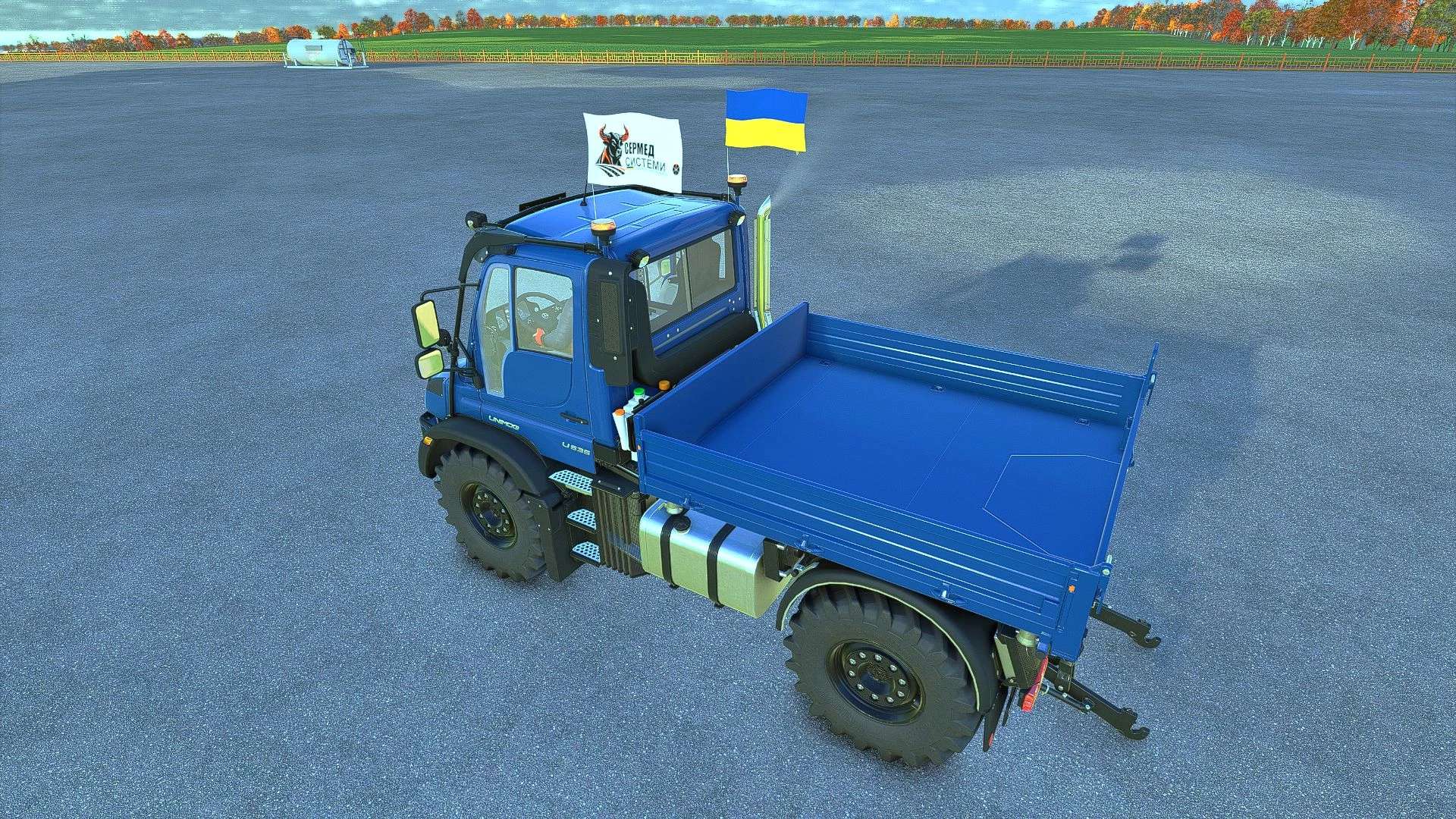
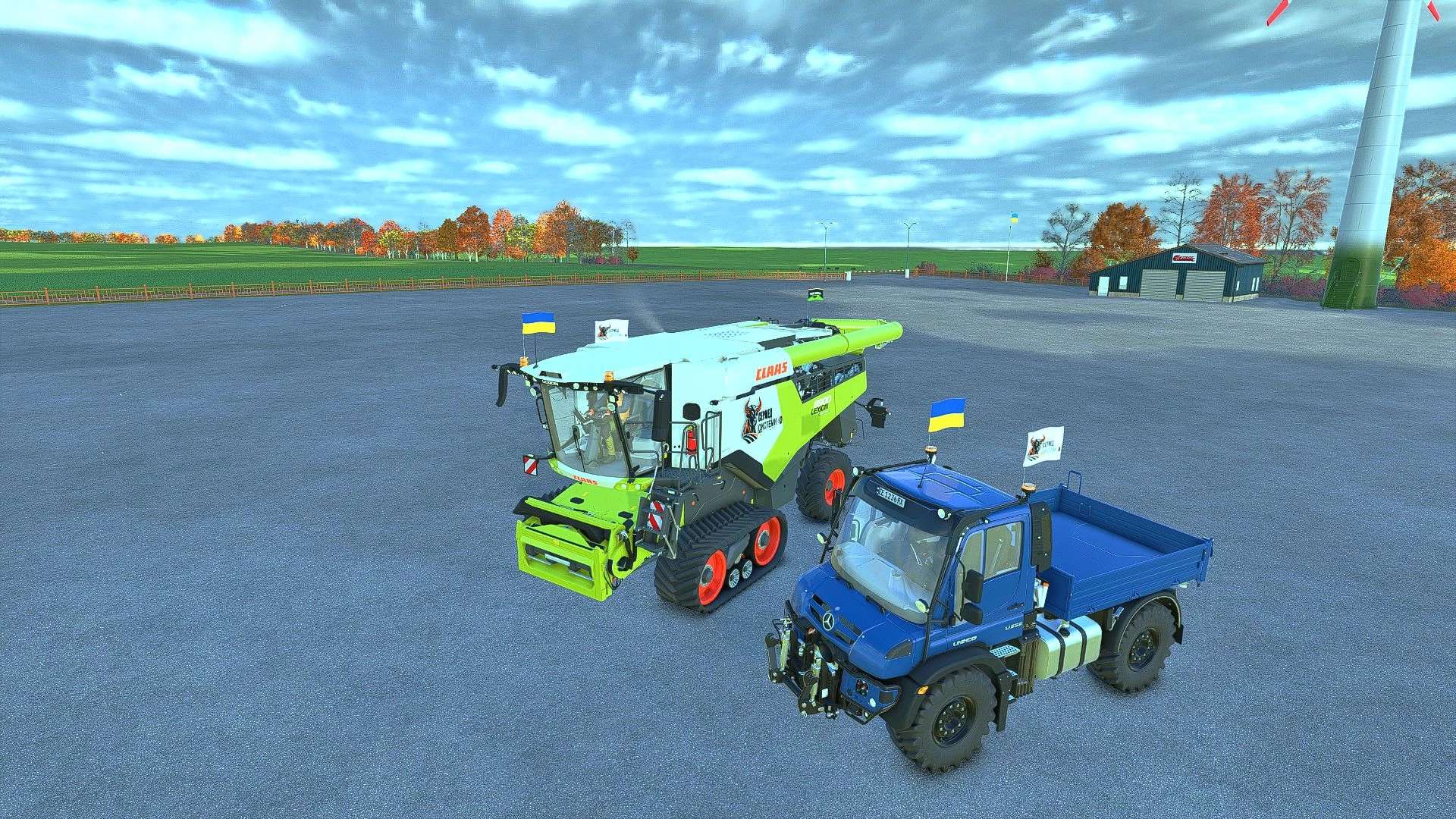
Vehicle Flags — flags for vehicles in FS25
The mod adds three independent sets of animated flags to controllable vehicles.

Features:
– Choose a country flag, a custom image, or both flags.
– Separate settings for sets 1, 2 and 3.
– Adjust the position, rotation, flag size and pole height.
– Ability to use different custom images in each set.
– Configuration in the shop and workshop.

How to add a custom flag
1. Prepare an image with a 2:1 aspect ratio. The recommended size is 1024×512 or 512×256.
2. Save it in PNG, JPG or DDS format, for example my_farm.png.
3. After launching the game with the mod for the first time, open the “Documents” folder — it is usually located on drive C. Then go to:
Documents → My Games → FarmingSimulator2025 → modSettings → FS25_VehicleFlags
4. Place the images directly in this folder, without subfolders or archives.
5. In the shop or workshop, open the flag settings and select the desired set.
6. In the custom flag selection option, switch between images by their file names.
7. Enable the custom flag or both flags, adjust the position and confirm the changes.
You can add multiple images. If the new files do not appear in the list, close and reopen the flag settings window.
Multiplayer: identical images with identical names must be located in the specified folder on the server and on all players’ computers. Images are not transferred automatically.


Author: sermed

Report bugs in the comments and help modders improve this mod. Always check the comments, you can find a solution.


Helpful Information: How to install FS25 mods | FS25 System Requiremnts | FS25 Modding Tutorial | Giants Editor for FS25 | How to Convert mods | FS25 Cheats

More Misc mods


About Farming Simulator 25 mods
Farming Simulator 25 supports game modding for PC, Xbox, or PS5. FS25 Mod may change your game from small to complete changes. You can create a Farming Simulator 25 mod file and share it with our community. When is a good time to try Farming Simulator 25 mods? We recommend playing a game with these FS25 mods after you finish the Farming Simulator 25 starting pack and are bored with the game basics. So it's time to try new machines, such as harvesters or tractors, which are not included in the basic game version.
As you already know, Farming Simulator 25 developers support mods installation, which will add more vehicles or lands to your game. Check our Best FS25 mods lists for PC, Mac, PS5 or Xbox Series. Just follow these simple steps: choose the LS25 mods category, download the mod for the Farming Simulator 2025 version, and install it into the mod folder. Remember, all Farming Simulator 25 Mods are free, and download as many as you want with no limits. We want to create one of the biggest Farming Simulator 25 Community and invite you to share FS25 mods with everyone.

Leave a Reply

Do you need help or to say thanks to the mod author? Just leave a comment below!