Vehicle Inspection (HU) V1.1
Vehicle Inspection (HU) V1.1
Adds a periodic vehicle inspection system (HU) to Farming Simulator 25 for all vehicles with a license plate tractors, trucks, cars, trailers, harvesters, auger wagons and more.
WHAT DOES THIS MOD DO?
Every vehicle with an actual license plate mounted automatically gets an inspection interval based on its vehicle class, speed, or permissible gross weight (e.g. car/motorcycle every 24 months, truck every 12 months, tractor up to 40 km/h every 24 months / above every 12 months, trailer up to 10 t every 24 months / above every 12 months). Once due, the vehicle is marked “Due” or “Overdue”. A forgotten HU, failed inspections and unsafe vehicles have consequences: fees, fines, reinspection and decommissioning (see below).
INITIAL SETUP (one-time, admins only)
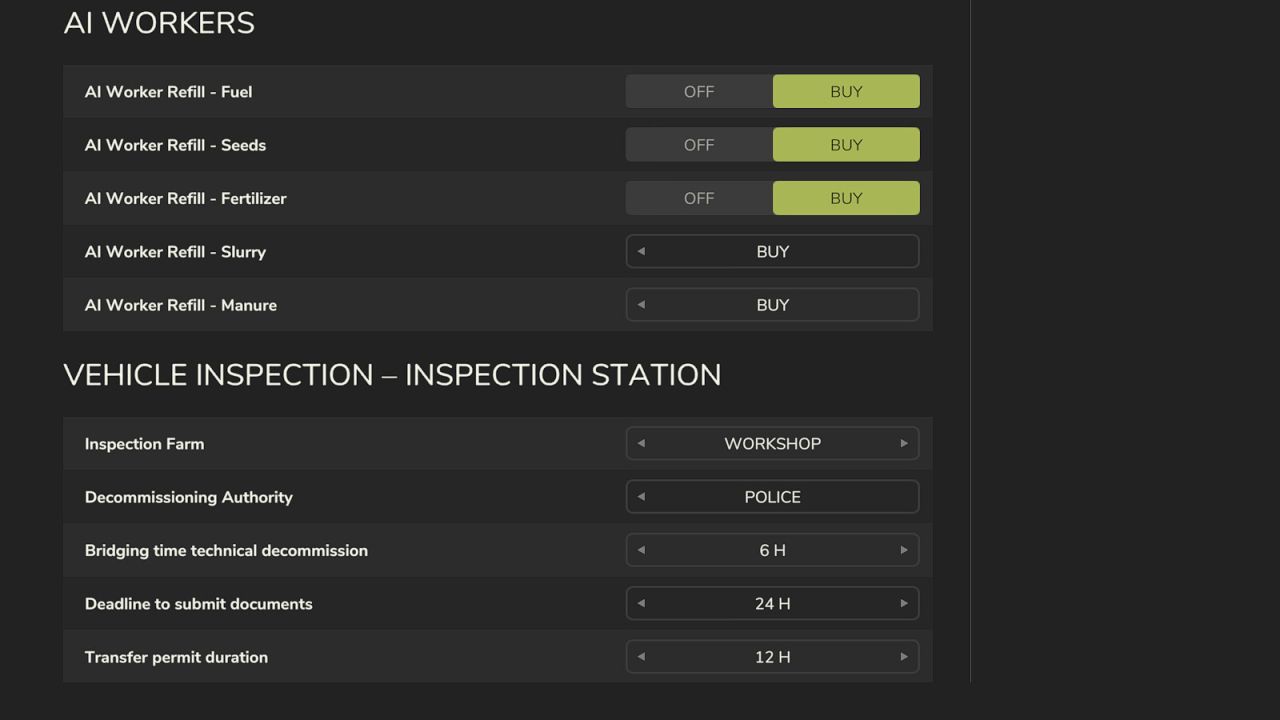
In the game settings under “Vehicle Inspection”, two roles can be assigned:
Inspection farm: may perform inspections and renew inspection dates.
Decommissioning authority: may decommission a vehicle or revoke it.
Both admin-only, saved with the savegame, synchronized to every player. The same menu sets the bridging time for a technical decommission (default 6 h), the deadline to submit documents (24 h) and the transfer permit duration (12 h).
USING THE INSPECTION STATION
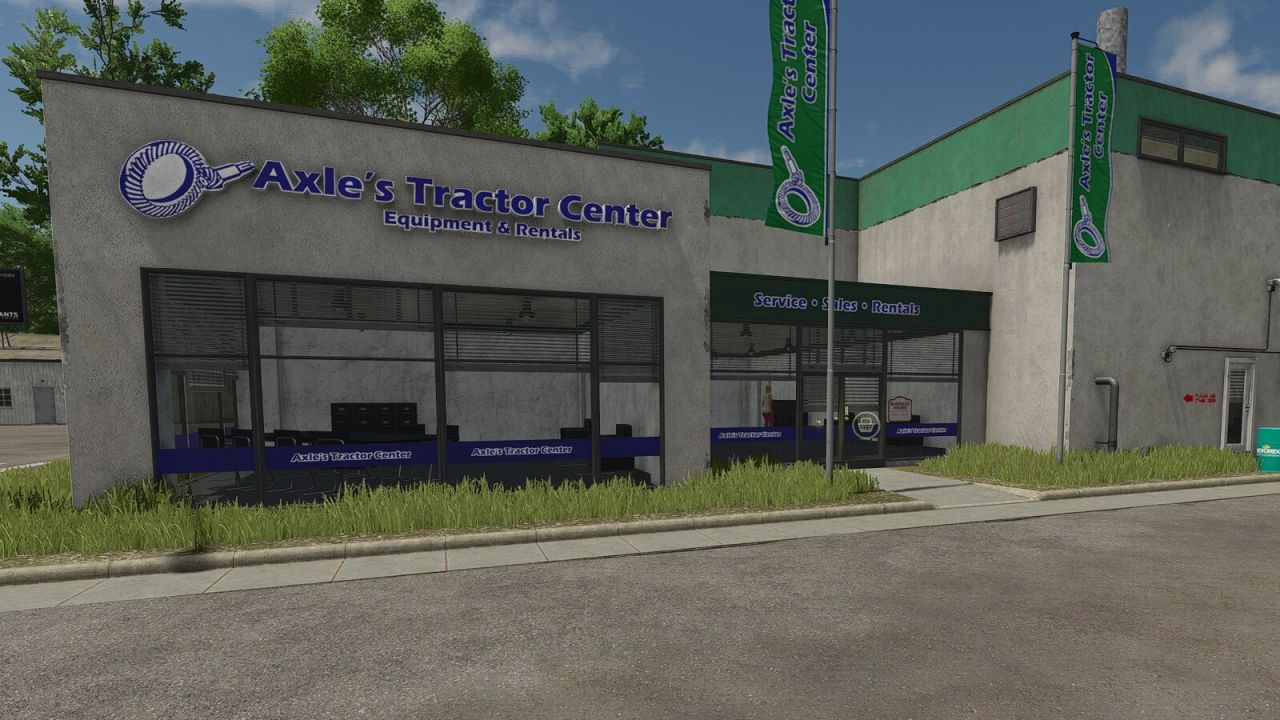
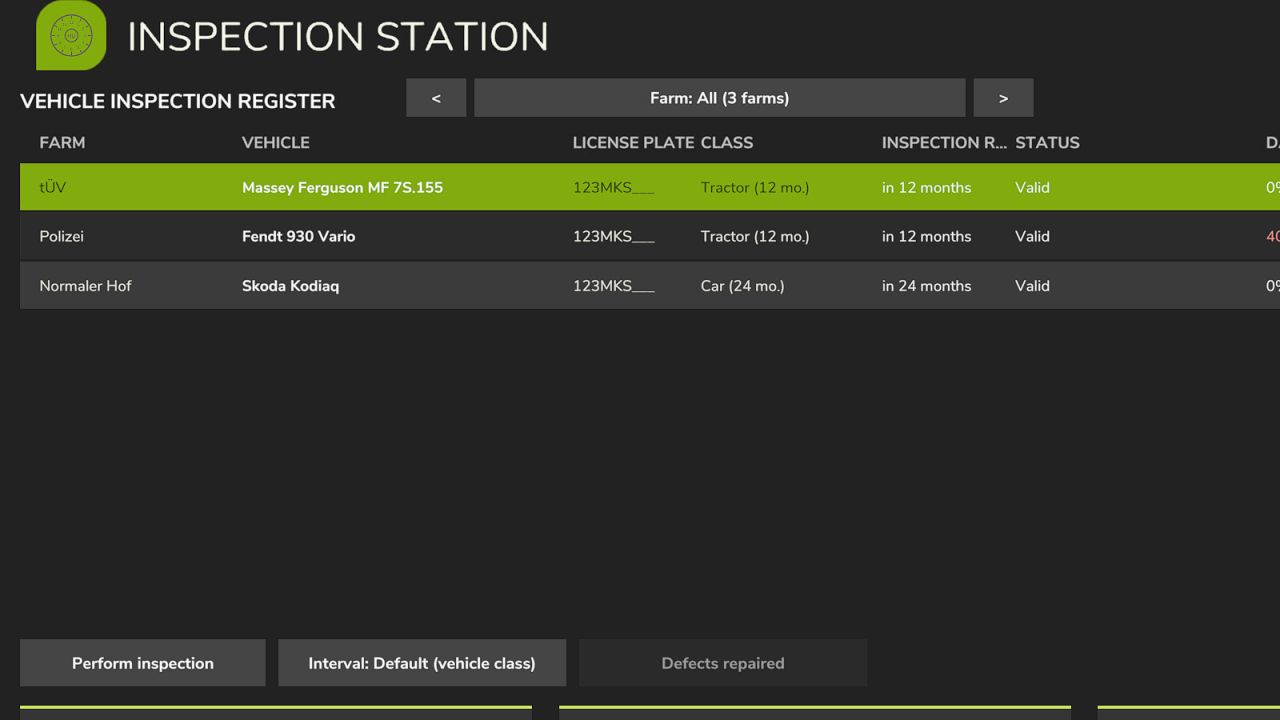
Own tab in the pause menu (green clock symbol) with the HU vehicle register. Normal farms only see their own vehicles; the inspection station and the decommission authority see all farms and can filter by farm with the arrows at the top (works with many farms). Select a vehicle, then use the buttons below the list:
Perform inspection (inspection farm only): checks damage and wear and renews the HU when passed.
Interval (key I, inspection farm only): custom HU interval for one vehicle (Default/3/6/9/12/18/24/30/36/42/48/54/60 months).
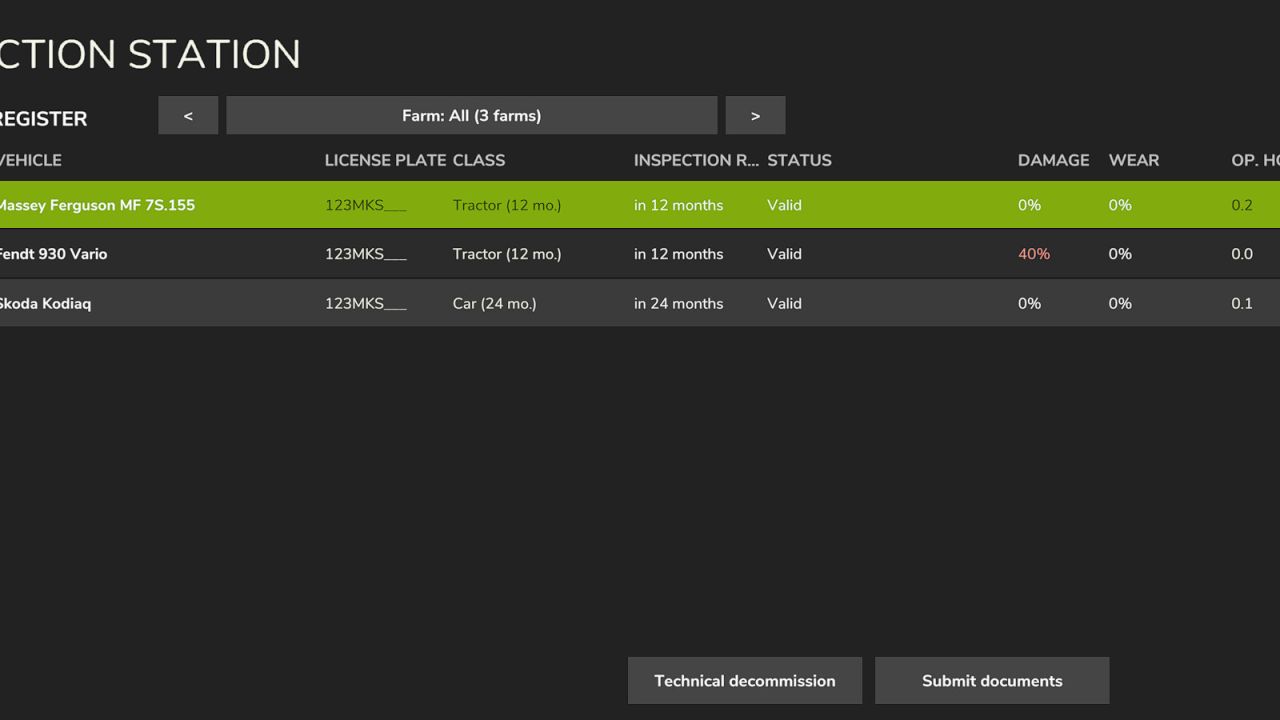
Technical decommission (authority only): 6 game hours to move the vehicle, then the inspection station lifts it with “Defects repaired” (damage below 20 %) or a passed HU.
Submit documents (key U, authority only): 24 game hours. With “Documents received” the authority lifts it and the status is Valid again.
Grant transfer permit (key O, authority only): 12 game hours to drive to the inspection station. Only for blocked vehicles, not for “Submit documents” and not during the bridging time.
Undo: while the bridging time of a decommission by the authority is running, it can be taken back with a button.
A confirmation with the consequences appears before every decommission by the authority.
Key X: change sort order (normal farms) or cycle through the farms (inspection station and authority).
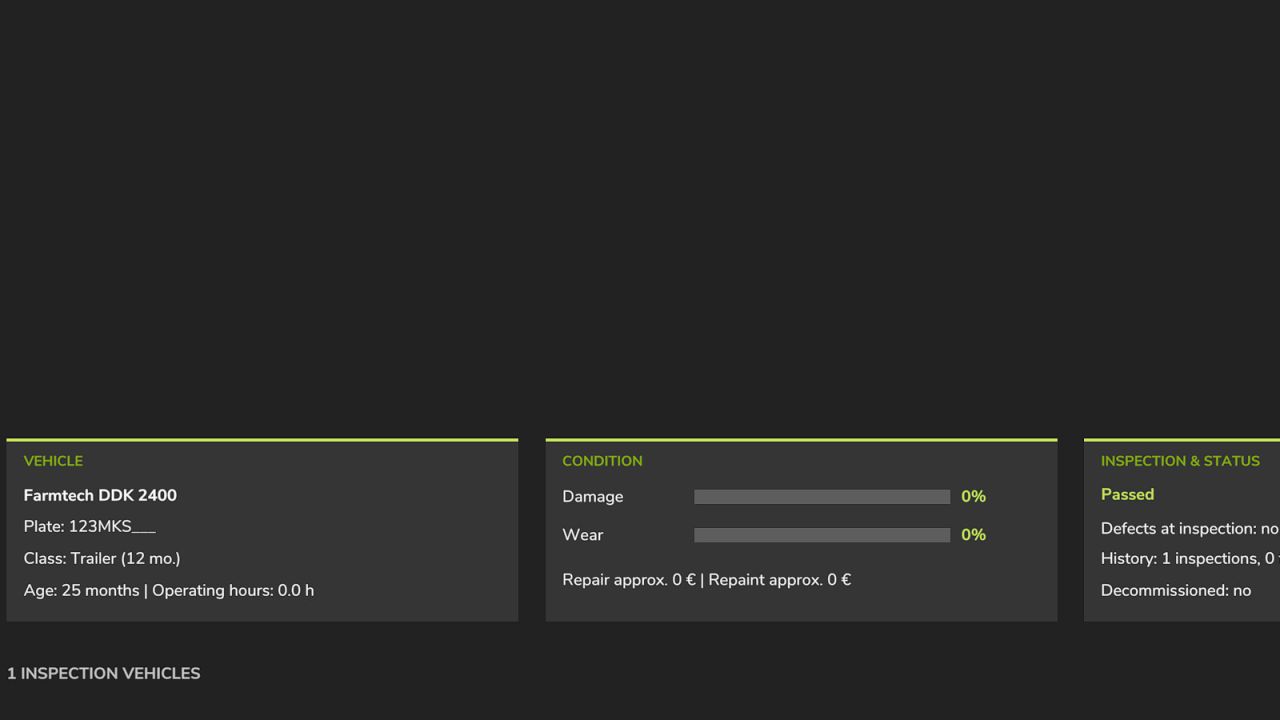
Three cards show vehicle data, condition bars for damage and wear with workshop prices, and the inspection result, history and decommission reason. Failed and decommissioned vehicles are marked red. A dedicated page in the in-game help explains all rules.
INSPECTION RESULT, FEES AND CONSEQUENCES
Damage: below 10 % passed, 10-20 % minor defects (HU valid), 20-35 % major defects (failed), 35 % and above unsafe (decommissioned immediately, 12 game hours to move it). Wear causes rust (from 40 % early rust, from 70 % rust-through). The inspection names random matching findings, e.g. “Left indicator defective” or “Sill rusted through”.
Fees go to the inspection farm: HU 250 €, reinspection 150 €. Passing without any defects pays a one-time bonus of 50 €.
Failed: 1 month for the reinspection, then 1 month grace, then the vehicle is decommissioned.
Forgotten HU: no decommission and no monthly charge. At the next inspection a fine goes to the authority (over 2 months 250 €, over 4 months 500 €, over 8 months 1,000 €) plus a 50 € surcharge on the fee after 2 months. After 12 months without HU the vehicle is decommissioned automatically.
Full inspection: if the HU is over 8 months overdue or the vehicle was decommissioned for over 8 months. It costs 2,000 €, the limits are halved, a reinspection stays strict.
Decommissioned vehicles cannot be started.
VEHICLE CLASSES AND INTERVALS
Modeled after real German inspection regulations (§ 29 StVZO) as a game-balanced approximation not legal advice. All classes, thresholds, and over 60 vehicle categories are freely adjustable in huSettings.xml, no coding required.
MULTIPLAYER
All settings and inspection data are saved with the savegame and continuously synchronized between server and players.
V1.1.0.0
New inspection result based on vehicle condition: passed, passed with minor defects, major defects, unsafe for traffic
With major defects or unsafe for traffic there is no new inspection, remaining time is set to 0
Reinspection within 1 month at a cheaper fee
Flat inspection fee (250 ‚¬) and reinspection fee (150), paid by the owner to the inspection farm
Inspection station: new columns Condition and Op. hours; status shows reinspection and failed
Inspection station: detail area with age, operating hours, damage, wear, result and workshop prices
Failed and decommissioned vehicles are marked red; colors also apply to the selected row
A single message after the inspection with the result, defects, fee and validity
Thresholds, fees and reinspection period adjustable in huSettings.xml
Fixed: individual interval (key I) was only shown for the host after changing the row
Fixed: HU settings and vehicle data could be lost on dedicated servers when the game saved before the HU data was loaded
Gameplay: decommissioned vehicles cannot be started. A missed inspection incurs a graduated fine at the next inspection (after a 2-month grace period), plus a fee surcharge. Passing without defects grants a bonus
Failed inspection: reduced-price reinspection, followed by one month of grace, after which the vehicle is decommissioned. More than 12 months without an inspection also results in decommissioning
Vehicles unsafe for traffic (damage of 35% or more) are decommissioned immediately, with 12 game hours to move them
Full inspection (2,000, stricter limits) if the inspection is more than 8 months overdue or the vehicle has been decommissioned for more than 8 months; if the authority decommissions it manually, there are 6 game hours to move the vehicle
New inspection page with farm buttons, clickable buttons and detail cards with condition bars; new page in the in-game help
The inspection names specific defects (e.g. Left indicator faulty, Sill rusted through), selected at random to match the damage and rust
Decommissioning by the authority with a reason: technical defect (6 game hours, lifted by the inspection station after repair or by an HU) or missing documents (key U, 24 game hours, lifted by the authority itself)
The decommissioning authority can grant a transfer permit (12 game hours, key O) so the holder can drive the vehicle to the inspection
Fixed: the Decommission / Recommission button text only changed after reopening the menu
Authority buttons are now Technical decommission and Submit documents, both with a confirmation dialog
New Undo button for the authority while the bridging time is running
New: Documents received (authority) lifts the decommission, and Defects repaired (inspection station) lifts a technical decommission after repair (damage below 20%)
Grant transfer permit only works for genuinely blocked vehicles (not for submitting documents and not during the bridging time)
Bridging time for technical decommission, document deadline and transfer duration are adjustable in the game menu (admin only, synchronized in multiplayer)
Individual intervals from 3 to 60 months
Author: HF Modding / ODGEE