Vehicle trade-in V1.1
Vehicle trade-in V1.1
Are you tired of selling your old vehicles for little money and then having to buy new ones at full price? The vehicle trade-in mod brings a realistic trade-in system to Farming Simulator 25 – just like a real dealer.
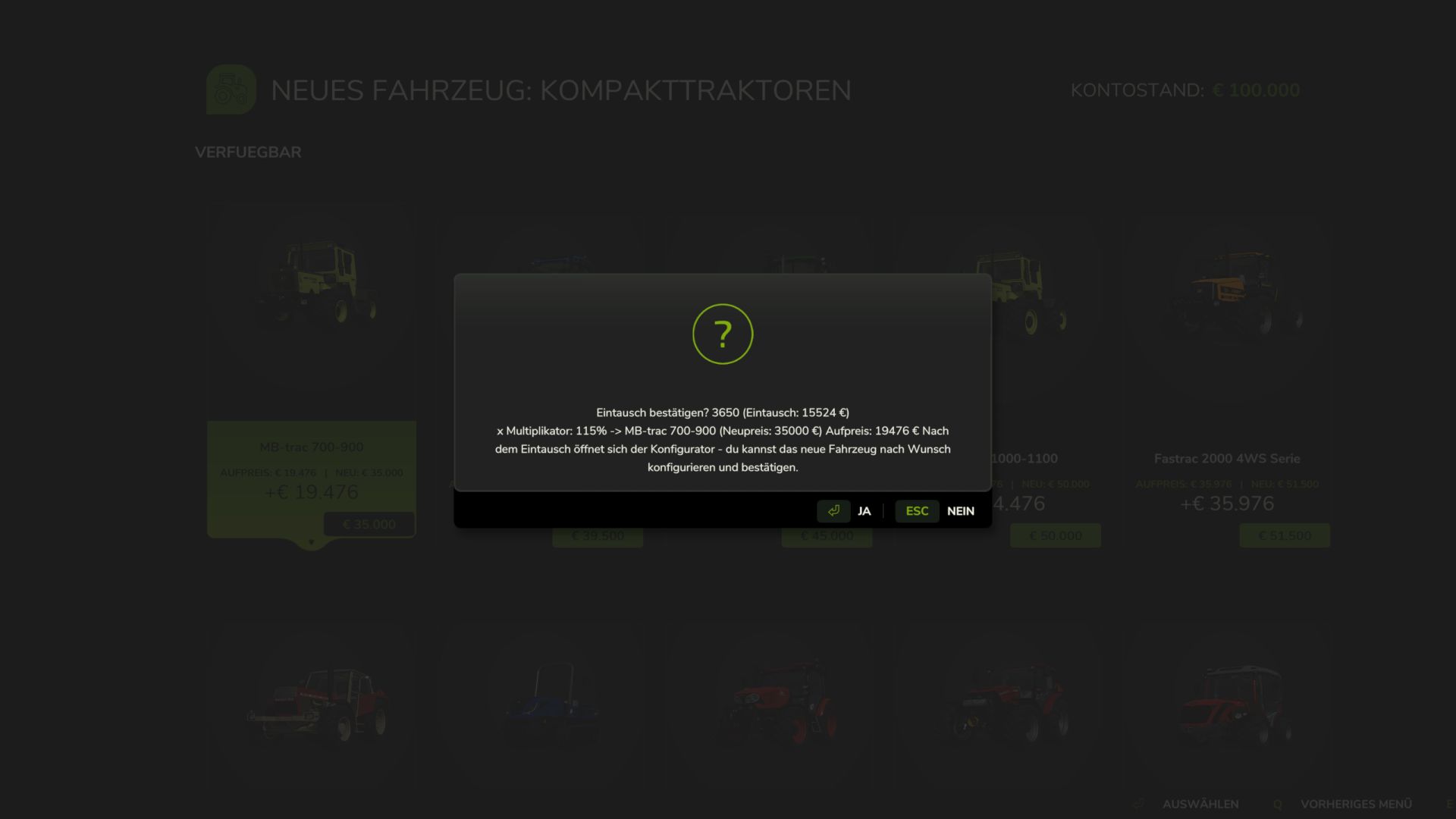
Instead of selling and buying individually, you can now exchange your existing vehicles directly for new ones. The exchange value is realistically calculated based on several factors and automatically deducted from the purchase price.
Control:
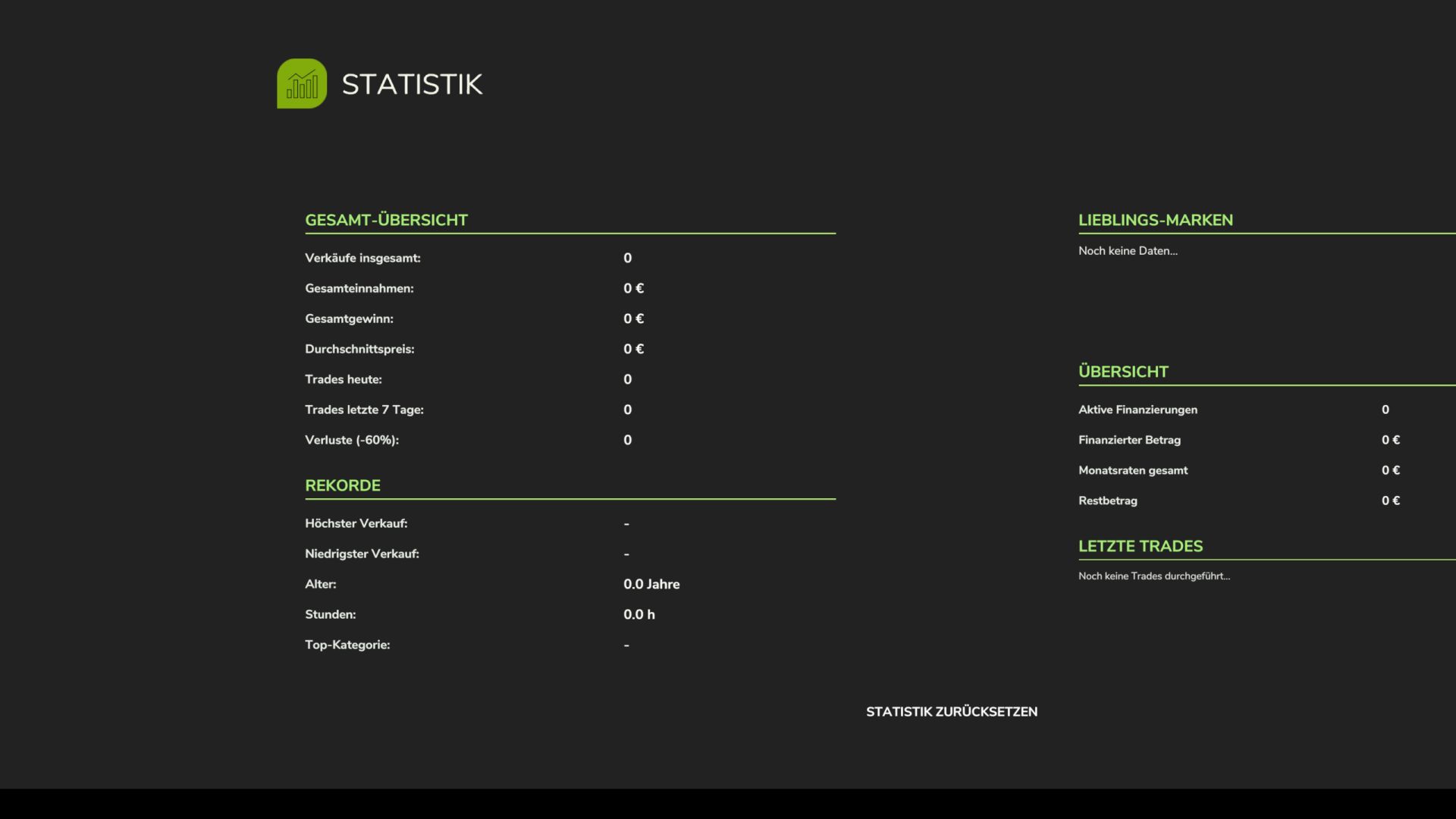
– CTRL + T only opens the statistics menu
– Menu can now be found in the LS 25 shop
This is how it works:
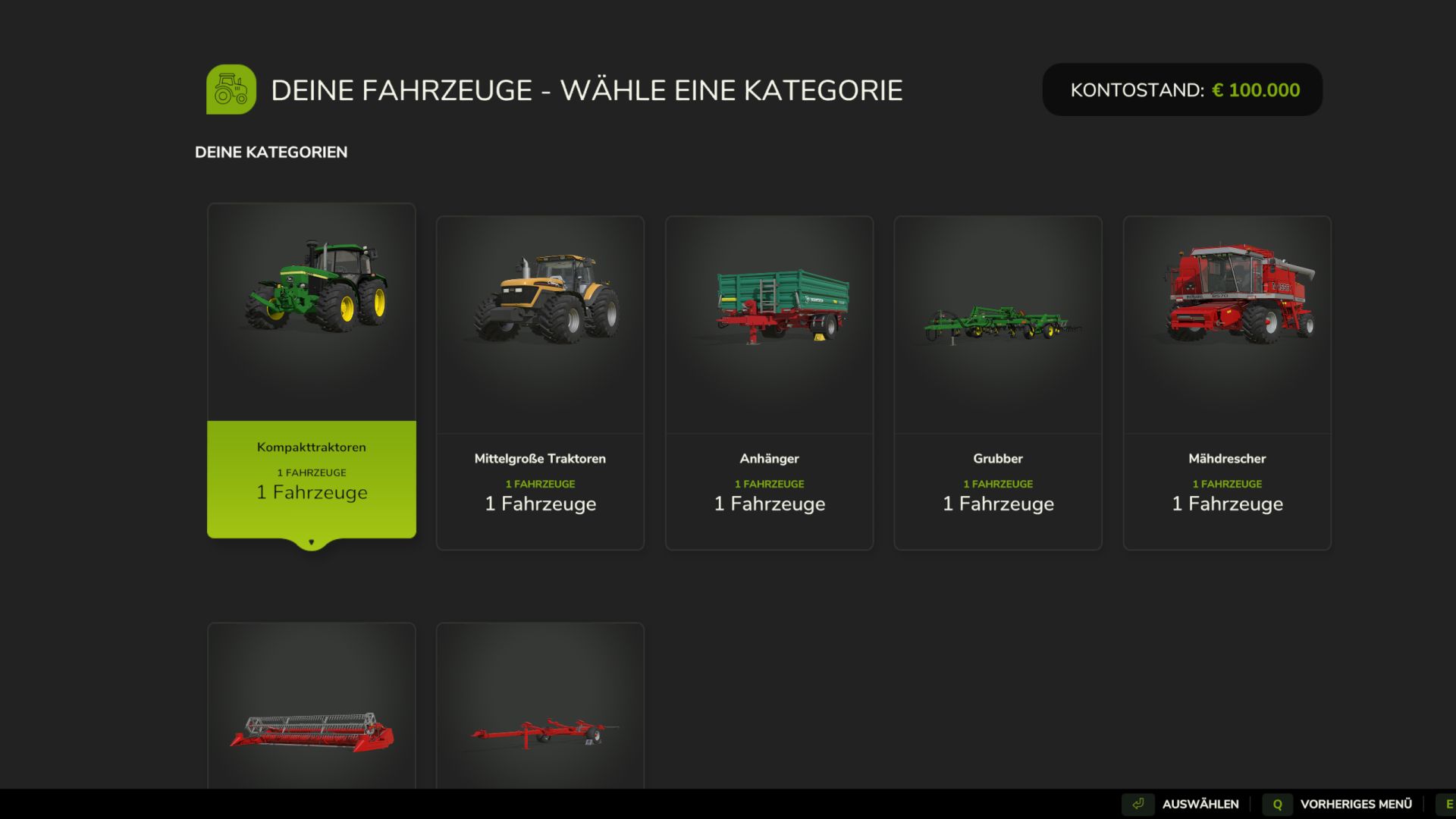
– Press Ctrl+T to open the trade-in menu
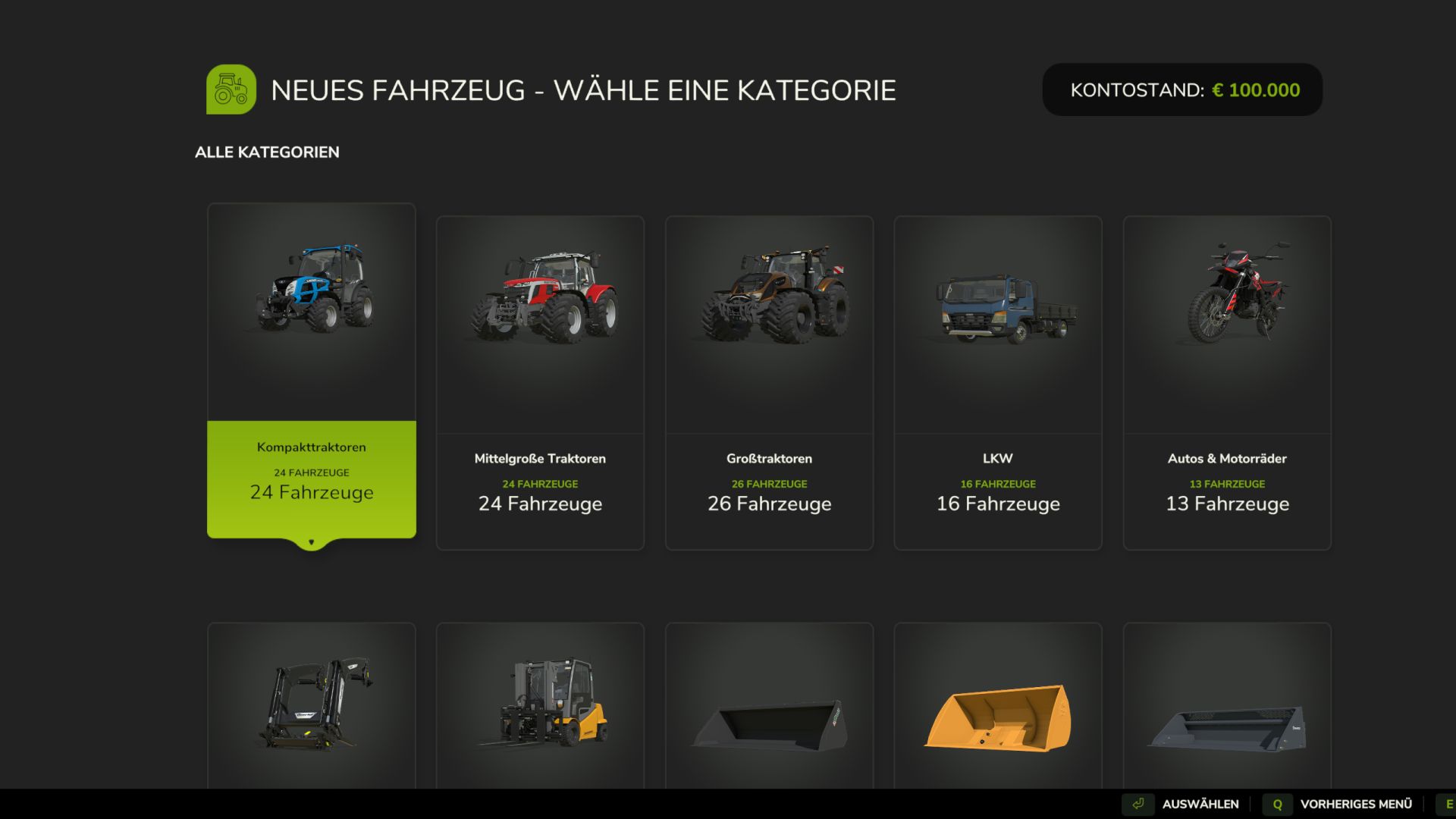
– Select a category and the vehicle you would like to trade in
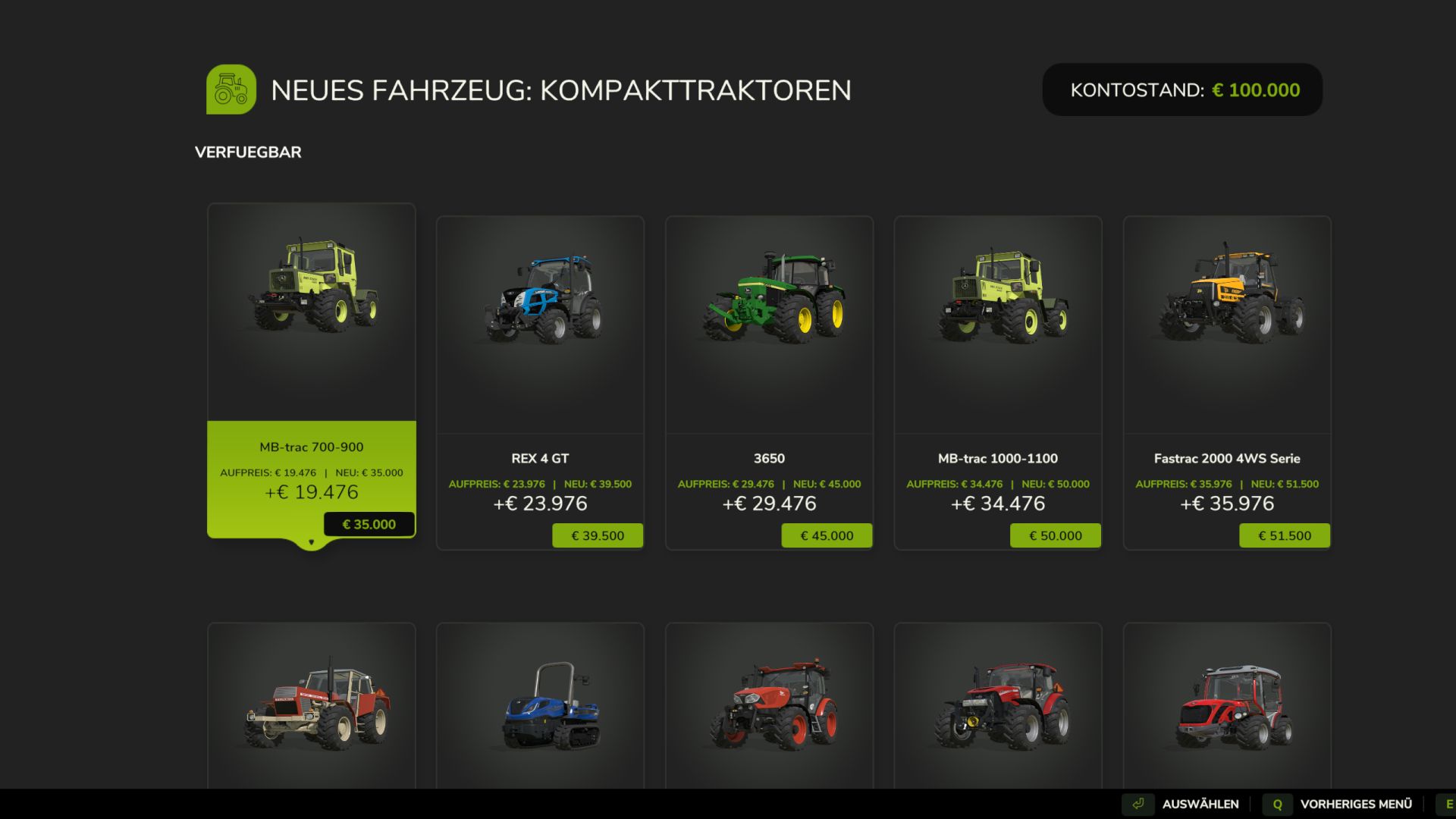
– Browse the shop and select your new replacement vehicle
– Confirm the exchange — the exchange value will be credited automatically
– The configurator opens immediately so you can choose colors, wheels, license plates and other options
– The new vehicle appears at the nearest dealer
6-stage price calculation:
– Level 1: Base value (original purchase price)
– Level 2: Operating hours deduction (more hours = less value)
– Level 3: Damage factor (damaged vehicles lose value)
– Level 4: Pollution penalty (dirty vehicles lose up to 10%)
– Level 5: Age factor (older vehicles are worth less)
– Level 6: Minimum value limit (vehicles always retain a minimum value)
Features:
– Trade In financing for configured vehicle purchases
– Realistic trade-in value based on age, hours, damage and contamination
– All standard FS25 vehicle categories supported (tractors, harvesters, trailers, attachments, trucks, etc.)
– Full vehicle configurator after the exchange (colors, wheels, license plates)
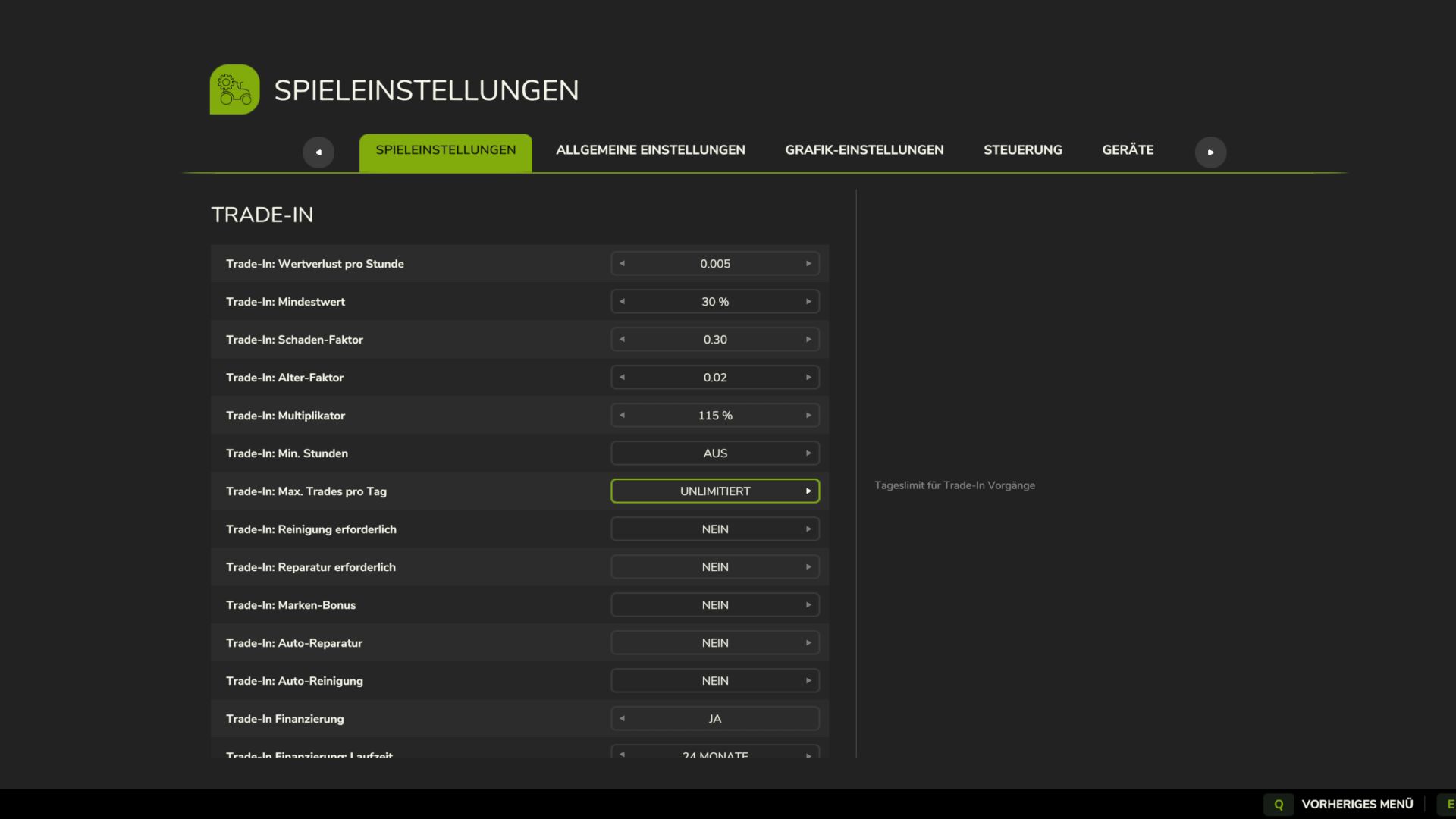
– Customizable pricing rules (value loss per hour, minimum value, damage factor, age factor, etc.)
– Complete sales statistics with totals, averages and records
– Optional cleaning and repair requirement before exchange
Important:
– Works in single player and multiplayer
– Placeable objects and bundle items are automatically filtered out
Ideal for anyone who wants more realistic vehicle management on their farm.
V1.1.0.0
– Full trade in integration built into the LS25 shop menu.
– Added own Trade In Shop page with own shop icon.
– Trade in financing for configured vehicle purchases added.
– Added finance button in vehicle configurator.
– Several financing options and a financing information window installed.
– Overview for active financing with vehicle, price, rate, term and remaining amount added.
– Moved all trade in settings to normal game settings.
– Financing settings for activation, term, interest and maximum amount added.
– CTRL+T only statistics menu with financing entries.
– Credit information added to the statistics menu.
– Added F1 help connection for the Trade In menu button.
– Improved vehicle image positions and card spacing in the trade in lists.
– Improved money checks so that the account balance does not fall into the red.
– Completely clean language entries for all 27 standard languages ​​of LS25 added.
Author: Pat95