Crop Control Override V2.0.3.5
Crop Control Override V2.0.3.5
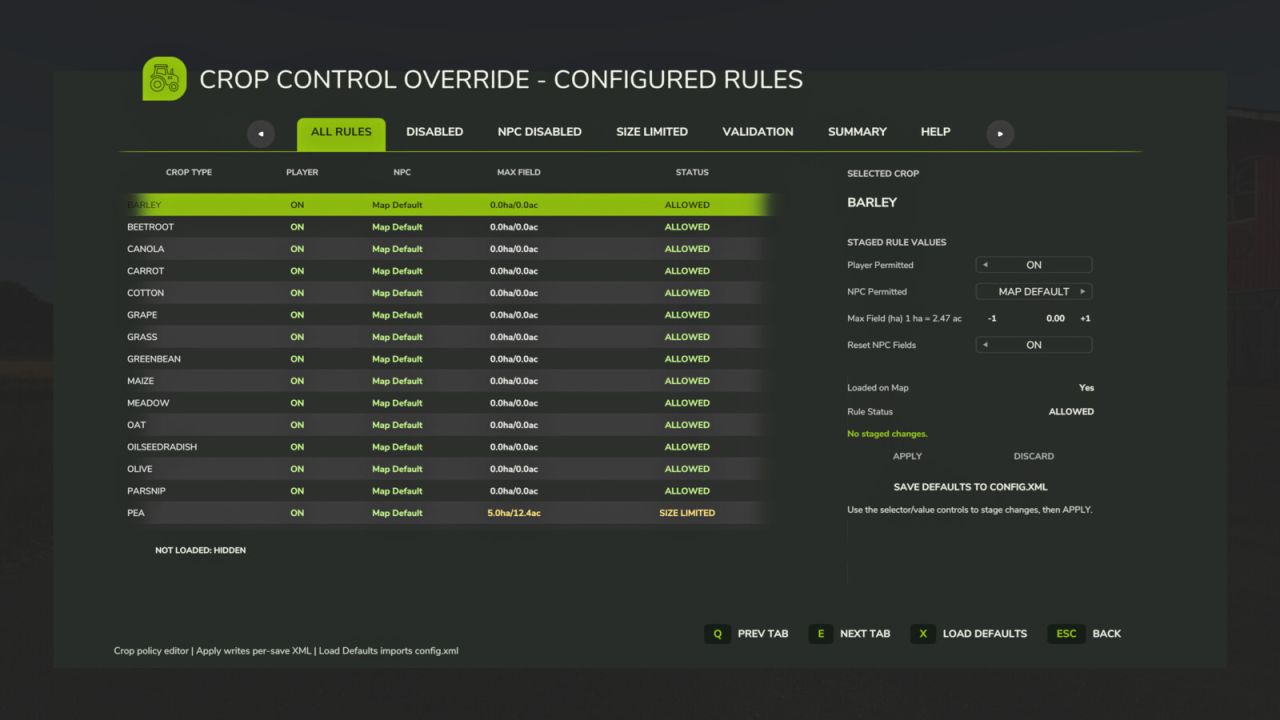
Crop Control Override is a per-save crop policy manager for Farming Simulator 25. It lets players control which crops are permitted for the player, which crops NPC farmers may plant, and whether NPC crop planting should be limited by field size.
The mod includes an editable FS25-style GUI, per-save XML rule files, NPC field validation, blocked NPC field reporting, and a guarded Apply / Force Apply workflow to prevent accidental invalid save states.
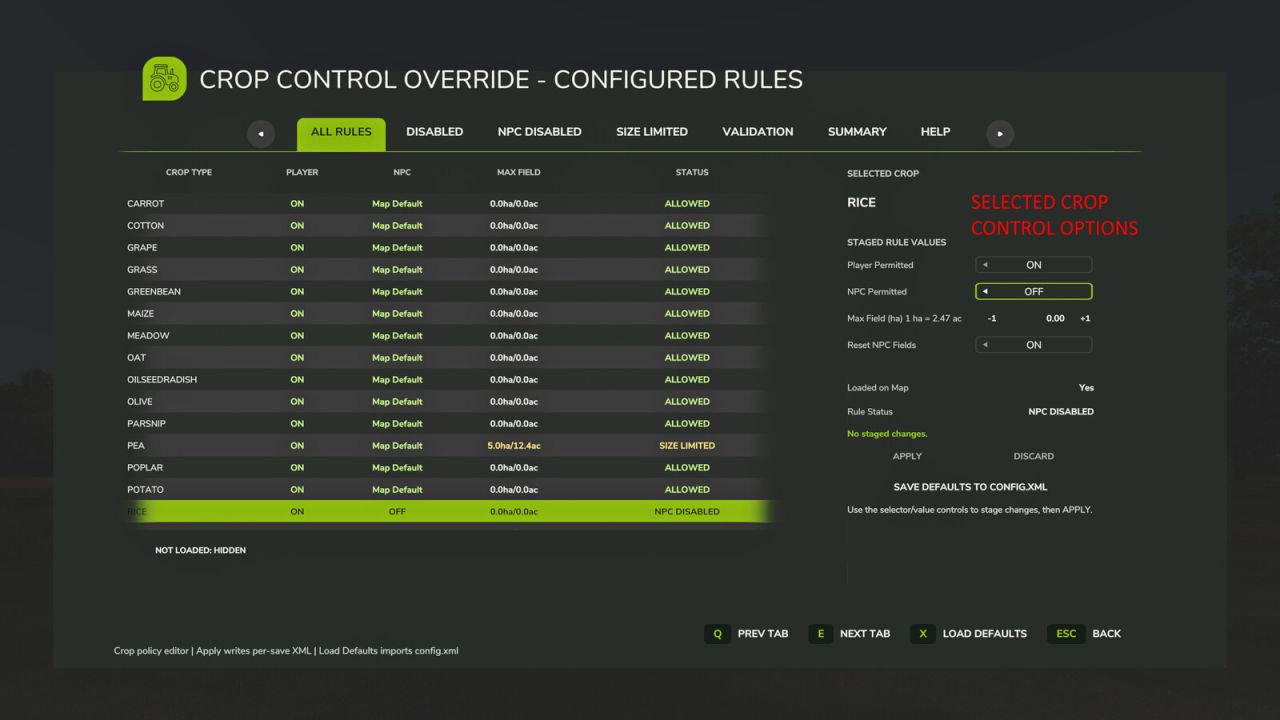
Main GUI features:
– ALL RULES: view and edit crop policy rules.
– DISABLED: view globally disabled crops.
– SIZE LIMITED: view crops with NPC field-size limits.
– NPC DISABLED: view crops NPCs should not plant.
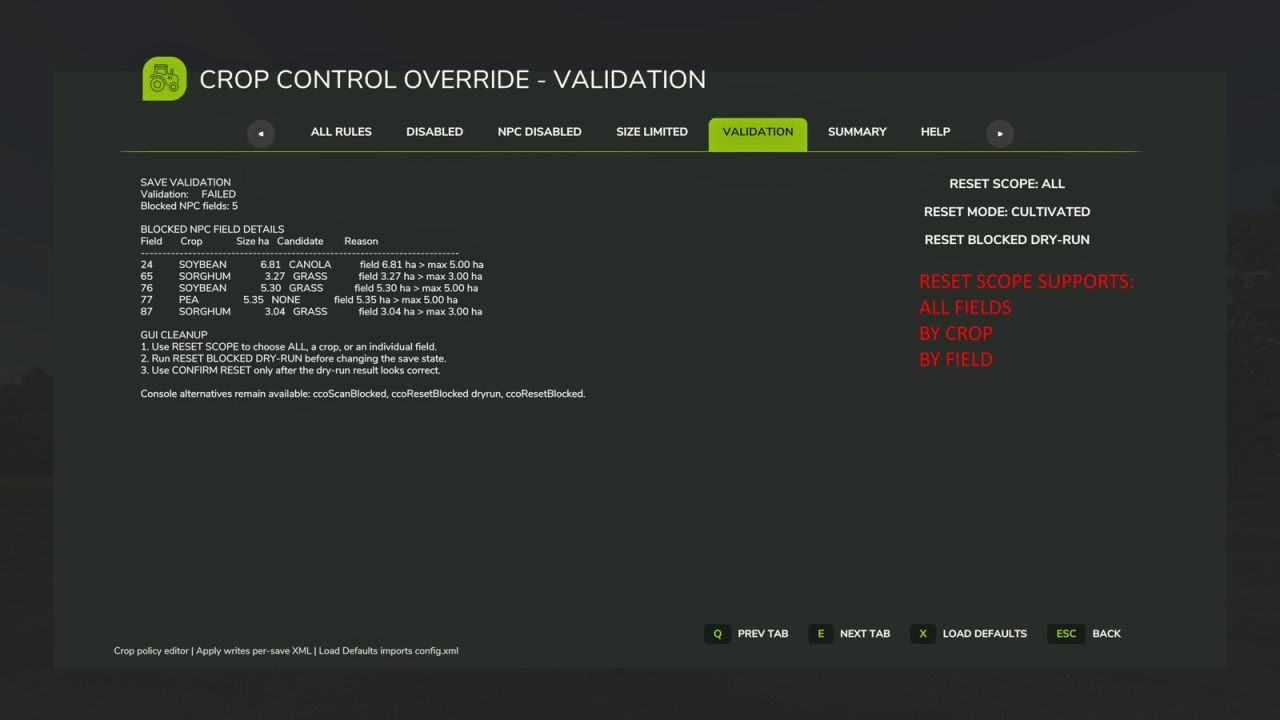
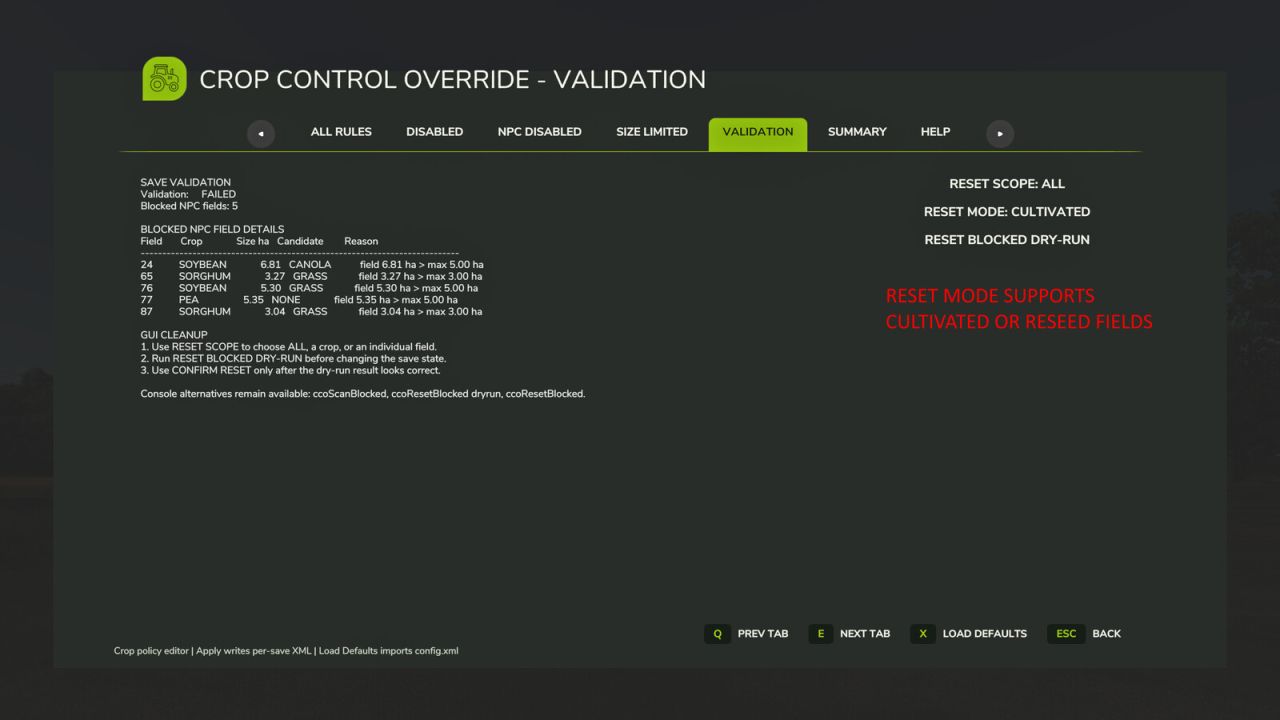
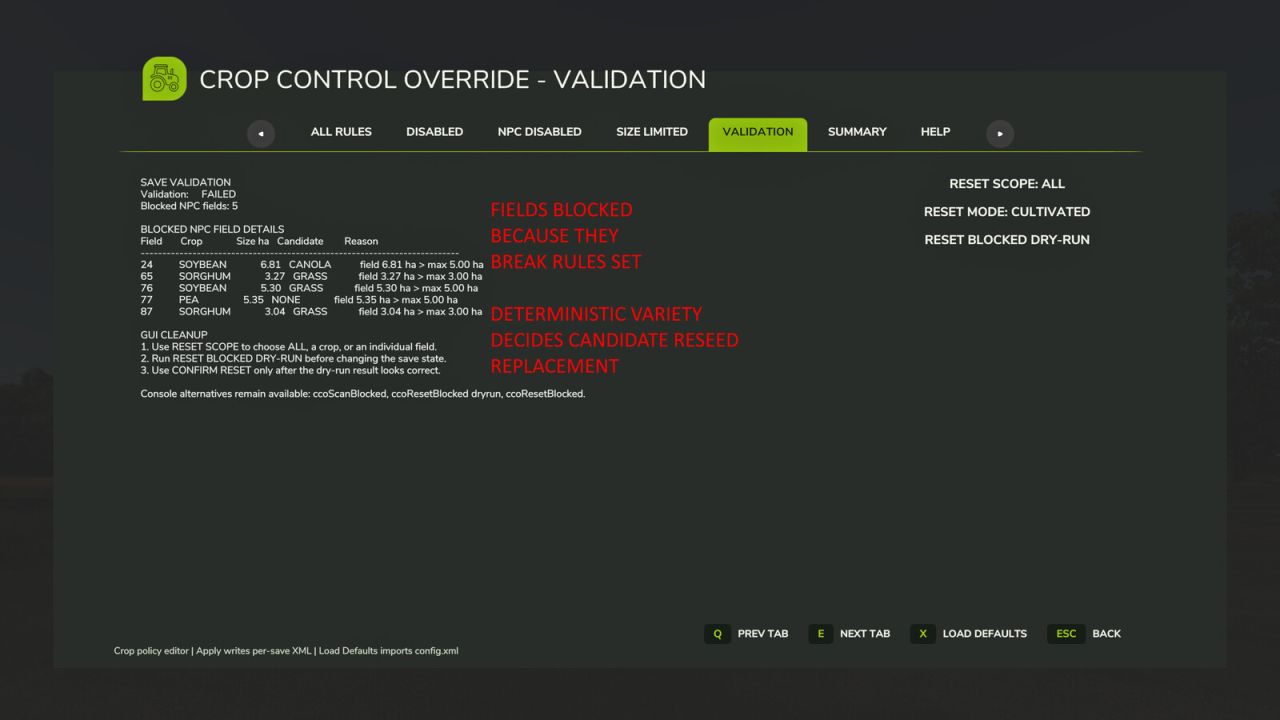
– VALIDATION: view existing NPC fields that violate the active policy and use the guarded dry-run / confirm reset workflow.
– SUMMARY: view active config, rule counts, and validation state.
– HELP: view in-game guidance.
Configuration:
– APPLY / FORCE APPLY writes staged crop-rule changes to the active per-save XML.
– DISCARD resets staged values.
– SAVE DEFAULTS TO CONFIG.XML backs up the existing template config and writes the current full active rule set to config.xml.
– Existing per-save XML files are not overwritten by Save Defaults.
– RESET BLOCKED DRY-RUN does not change the save state. CONFIRM RESET performs the actual blocked-field reset after review.
– VALIDATION includes RESET MODE: CULTIVATED or RESEED SEASONAL.
– RESEED SEASONAL uses the current seasonal planting window and CCO policy rules to choose a replacement crop for blocked NPC fields.
– Each crop has an individual reseed weight from 0 to 5, editable in the GUI and stored as reseedWeight on its fruit rule.
– A crop weight of 0 excludes that crop from NPC-field reseeding without disabling it for the player.
– The global leaveCultivated weight remains available, allowing weighted resets to leave some fields cultivated instead of reseeding them.
V2.0.3.5
– Replaced the seasonalMission and seasonalLifecycle category weights with an individual 0-5 reseed weight for every crop.
– Added GUI controls for editing the reseed weight of the selected crop.
– A crop weight of 0 now excludes that crop from NPC-field reseeding while leaving the crop otherwise enabled.
– Retained the global leaveCultivated weighting.
– Added automatic migration of existing per-save XML files, assigning the default weight of 5 where reseedWeight is missing and removing obsolete category weights when files are normalised.
– Added multiplayer synchronisation for per-crop reseed weights.
Author: SimGamerJen, Hyper138