Vehicle Tab Sorting V1.0
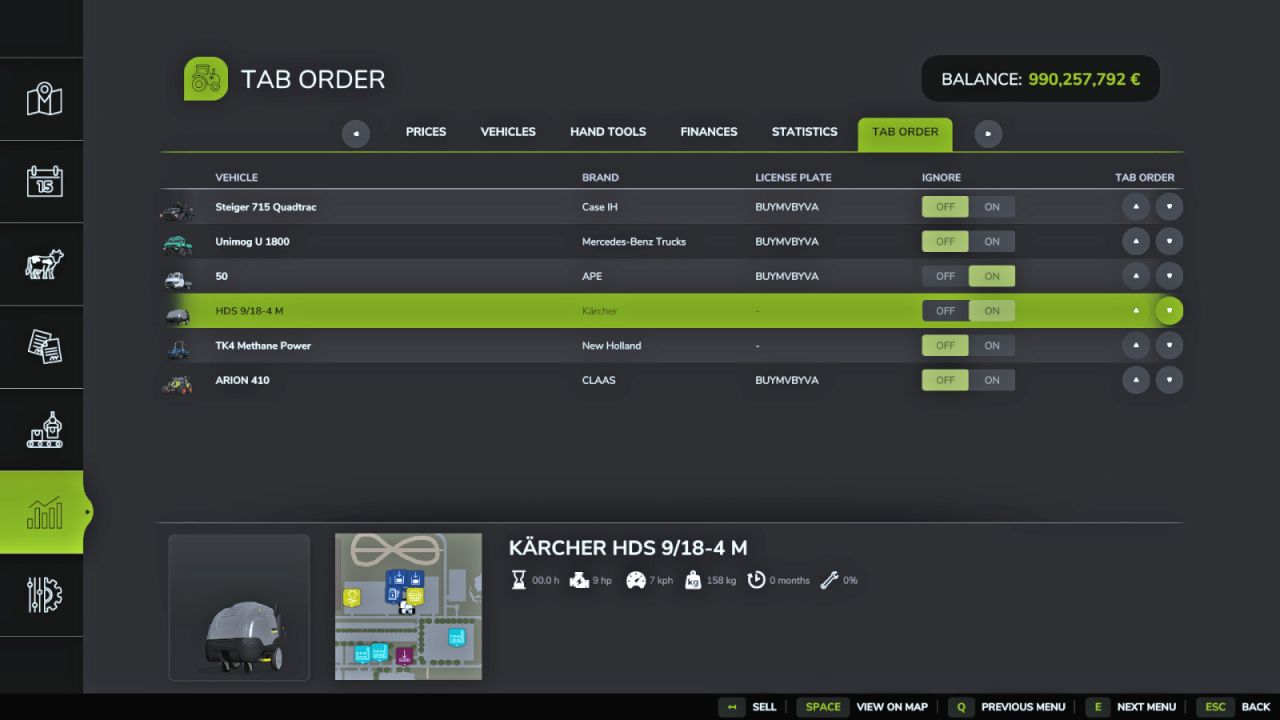
Vehicle Tab Sorting V1.0
Say Goodbye to Tab Chaos
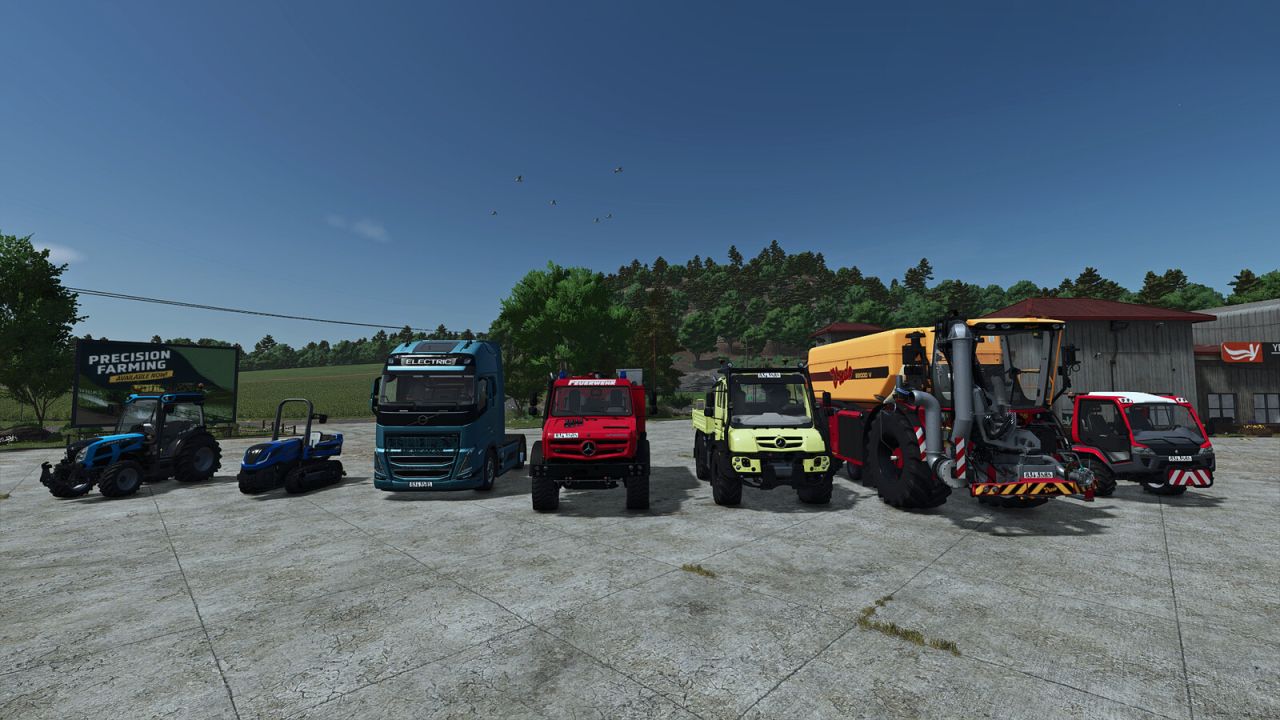
You know the drill: You want to quickly hop into the combine harvester to empty a full grain tank. You hit Tab. And end up… in the skid steer loader on the other side of the map. You hit Tab again—and find yourself in a tractor that’s just sitting idle. After what feels like 40 clicks, you finally reach your target, but in the meantime, your hired worker has already taken out the fence.
Put an end to virtual travel roulette! This mod gives you total control over the Tab sequence of your vehicles.
What the mod does (and why you need it):
Your order, your rules:
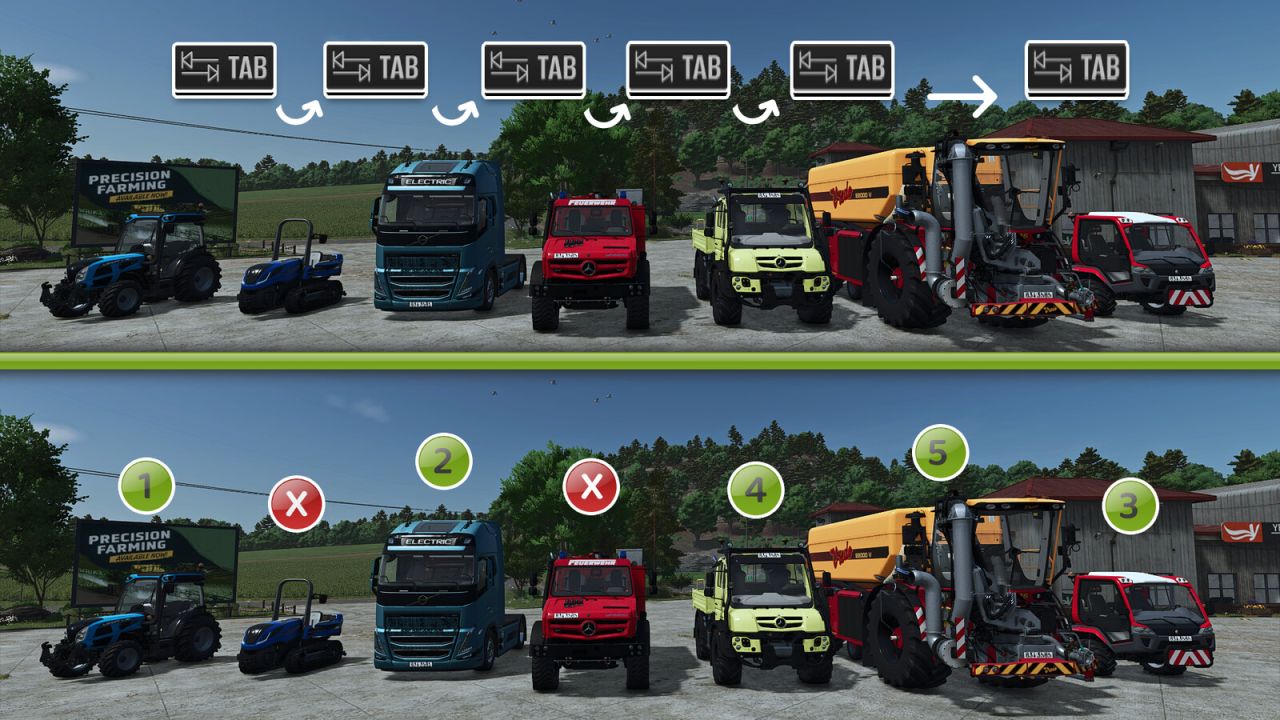
Sort your vehicles exactly the way that makes sense for your workflow. From the farm tractor straight to the harvester? One click, instead of frantic, endless tabbing.
The “Leave Me Alone” list:
Got vehicles that are just sitting around for decoration or working the same field for weeks? Simply remove them from the Tab loop entirely. They’ll be ignored until you decide to bring them back in.
Plug & Play (No exceptions!):
The real highlight? The mod works automatically with absolutely every enterable vehicle—whether it’s from the base game, an official DLC, or the craziest mod creation from your favorite modders. No manual configuration required.
The true next-level feature: Full multiplayer support & strict savegame separation!
This is where the wheat is separated from the chaff: The mod is smart and doesn’t lump everything together. Everything is saved separately with precision.
Each single-player savegame is separate:
Running a livestock farm on Map A and a dedicated contracting business on Map B? No problem. The sorting order is saved individually for every single-player savegame. When you switch savegames, the mod loads the exact sequence you set up for that specific game. – Full multiplayer support (independent of single-player):
Your single-player settings aren’t overwritten when you go online. On servers, the mod runs completely independently and saves your personal settings specifically for you.
Per player, per server:
On a multiplayer server, everyone does their own thing. Each player can set their own custom Tab order and choose which of their vehicles to ignore. Nothing gets overwritten. Does your farm partner love perfect organization while your buddy prefers chaos? No problem—settings are saved per server and per player. Got three multiplayer servers? Then you have three different sets of settings. Perfect!
The bottom line: Waste less time searching and spend more time harvesting. Take back control of your vehicle fleet—no matter the save game, where you play, or who you play with!
Author: Helfer B.