What’s Next V1.0


What’s Next V1.0


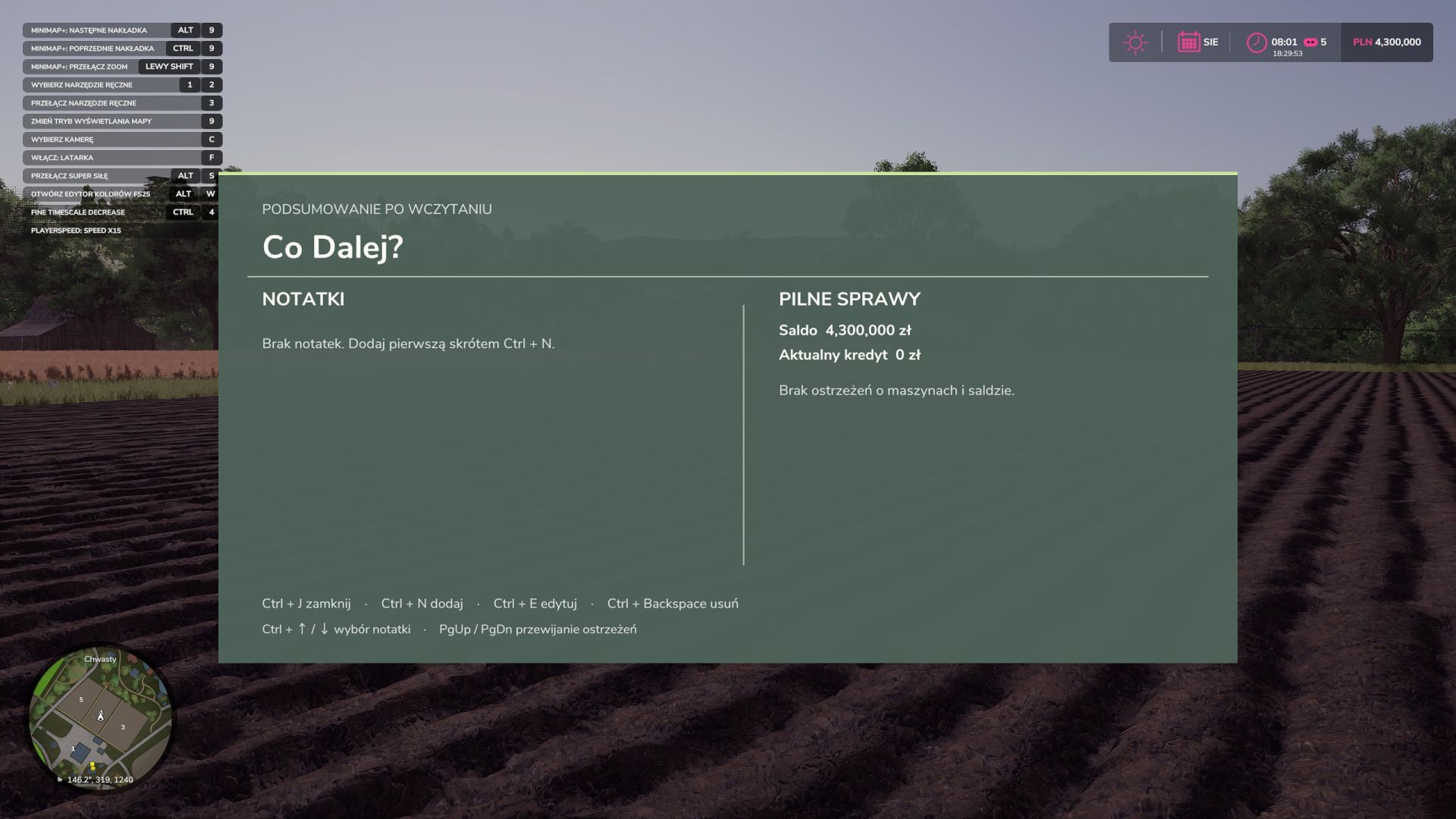
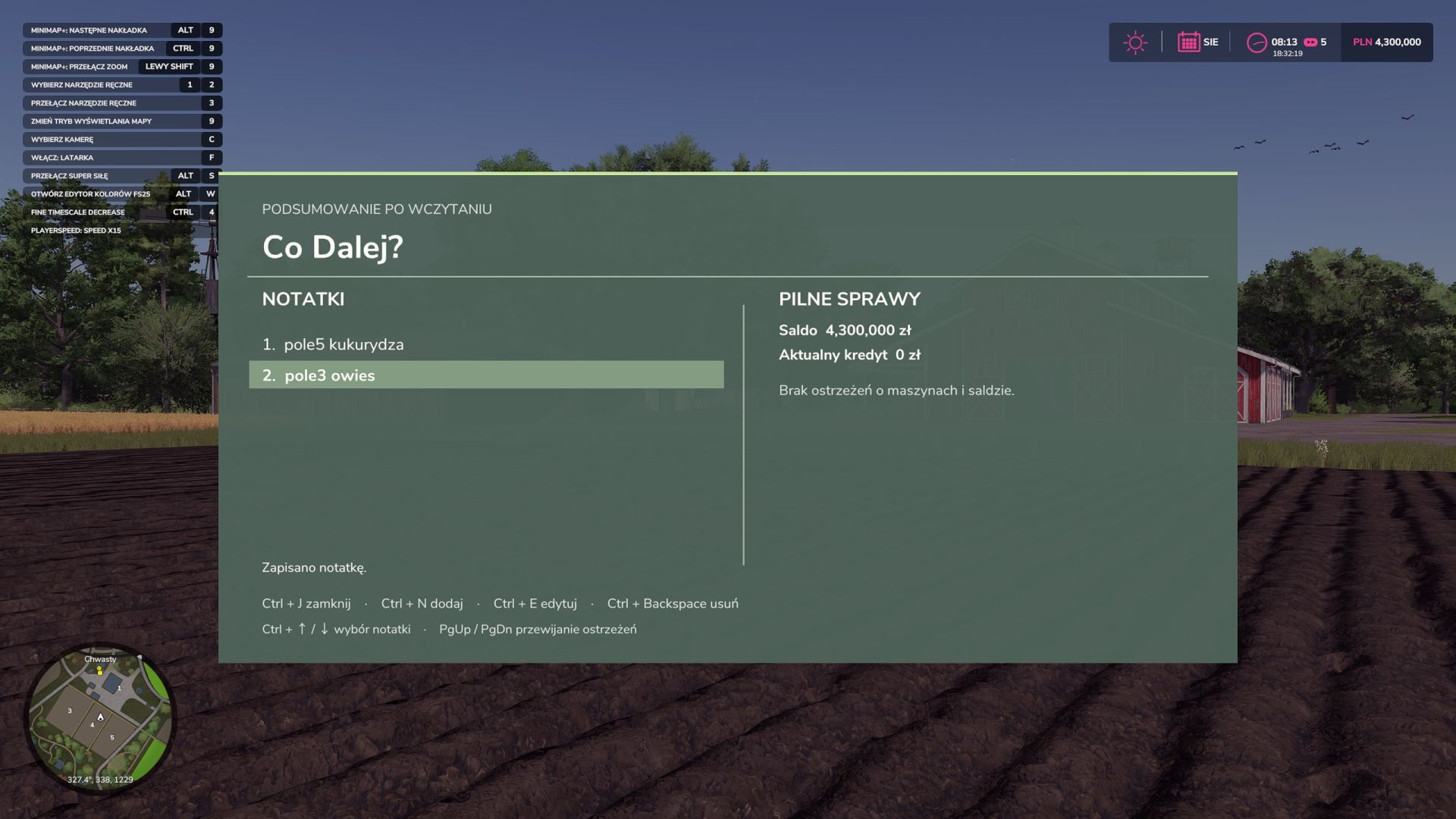
You return to a save after a few days and wonder where you left off? What Next? is a notebook for Farming Simulator 25 that displays your to-do list and farm-related warnings a few seconds after loading your career.

Notes for each career
Write down what you want to do during your next session, such as “Lime field 12” or “Sell rapeseed when the price exceeds €500”. You can add, edit and delete notes while playing. They are saved together with the career in a separate coDalej.xml file, so each save has its own list. Entries are reminders to read. The mod does not monitor prices or perform saved tasks.

Urgent matters on one screen
Alongside the notes, the panel shows:
machines with fuel or charge below 15%,
equipment damaged by more than 60%,
the farm’s current balance, with a warning when it drops below zero,
the current loan amount.

Controls Shortcut
Action
Left Ctrl + J

Open or close the panel
Left Ctrl + N

Add a note
Left Ctrl + E

Edit the selected note
Left Ctrl + Backspace

Delete the selected note
Left Ctrl + ↑ / ↓

Select a note
PgUp / PgDn

Scroll through the warning list
Enter / Esc

Confirm or cancel the entry while editing


Author: Tyee


Report bugs in the comments and help modders improve this mod. Always check the comments, you can find a solution.


Helpful Information: How to install FS25 mods | FS25 System Requiremnts | FS25 Modding Tutorial | Giants Editor for FS25 | How to Convert mods | FS25 Cheats

More Misc mods


About Farming Simulator 25 mods
Farming Simulator 25 supports game modding for PC, Xbox, or PS5. FS25 Mod may change your game from small to complete changes. You can create a Farming Simulator 25 mod file and share it with our community. When is a good time to try Farming Simulator 25 mods? We recommend playing a game with these FS25 mods after you finish the Farming Simulator 25 starting pack and are bored with the game basics. So it's time to try new machines, such as harvesters or tractors, which are not included in the basic game version.
As you already know, Farming Simulator 25 developers support mods installation, which will add more vehicles or lands to your game. Check our Best FS25 mods lists for PC, Mac, PS5 or Xbox Series. Just follow these simple steps: choose the LS25 mods category, download the mod for the Farming Simulator 2025 version, and install it into the mod folder. Remember, all Farming Simulator 25 Mods are free, and download as many as you want with no limits. We want to create one of the biggest Farming Simulator 25 Community and invite you to share FS25 mods with everyone.

Leave a Reply

Do you need help or to say thanks to the mod author? Just leave a comment below!