Hydraulic Suspension System V1.0
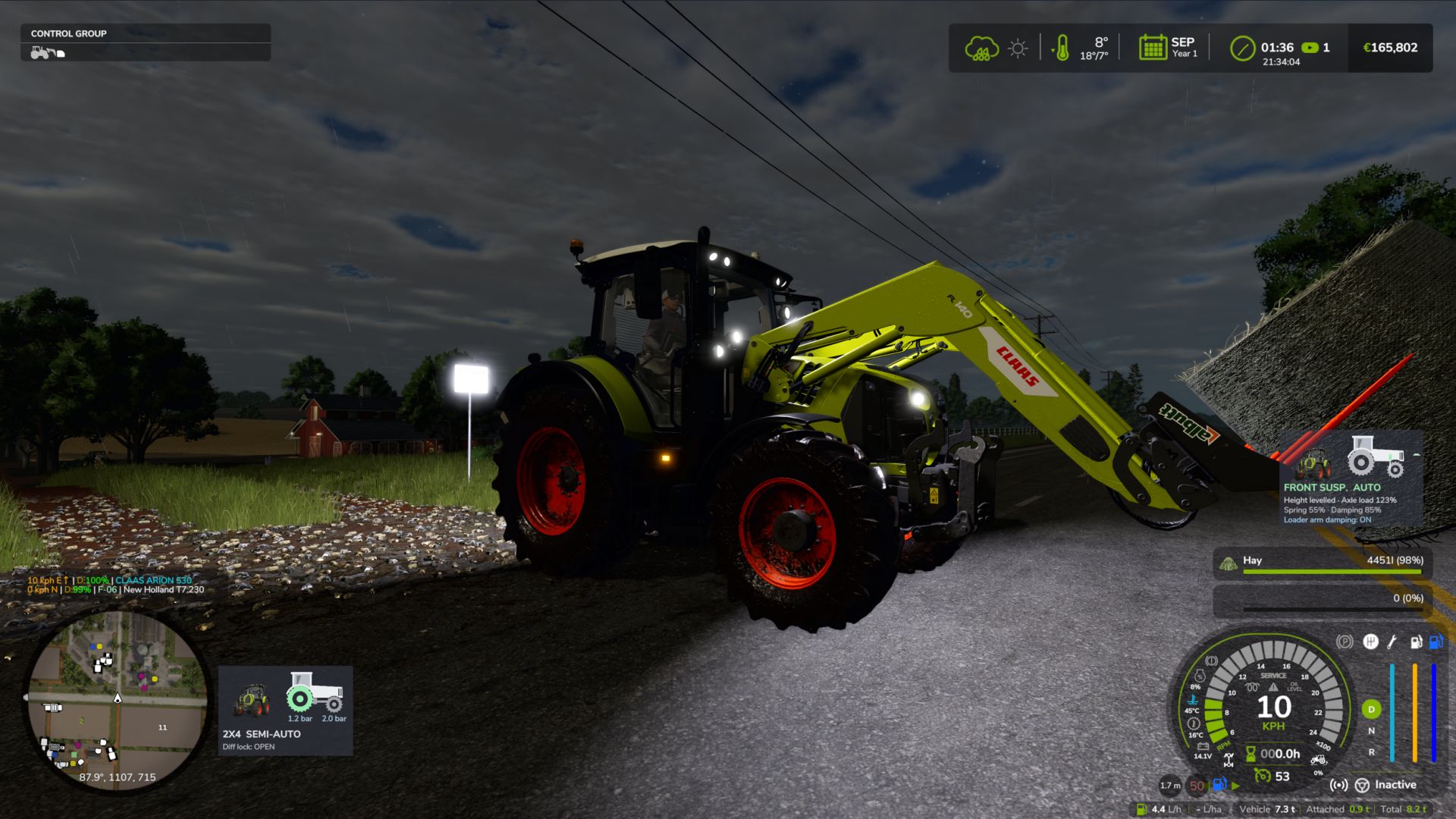
Hydraulic Suspension System V1.0
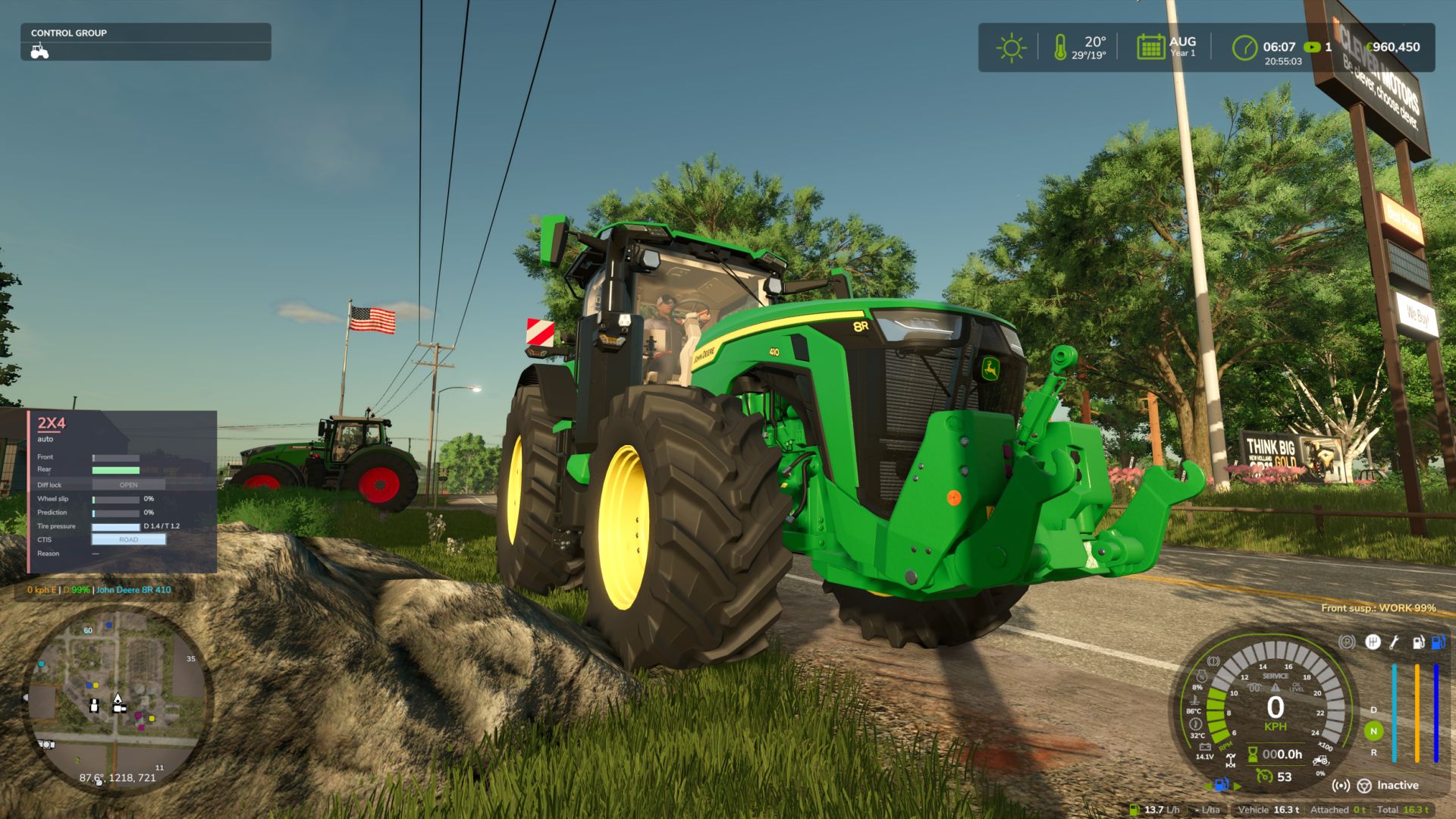
Ever noticed that the tractor front axle in the game feels like a steel beam? Hit a rock and the whole tractor jumps, the wheel barely moves. This mod gives tractors the hydraulic front suspension they have in real life.
Suspension that really works
The wheel moves up and down over bumps and rocks, and you can see the links, cylinders and shaft moving. The tractor is much more stable and comfortable.
Automatic leveling
Just like real tractors: add front weights or a heavy implement and the front returns to the right height by itself in a few seconds.
Every brand with its own system
John Deere ILS and TLS, Fendt, Claas PROACTIV, Terraglide (Case IH / New Holland / Steyr), MF Quadlink, Valtra, Deutz-Fahr and McCormick. Each one behaves differently, some softer, some firmer.
Driving modes
AUTO – levels by itself
WORK – firmer when working in the field or when the front starts bouncing
LOCKED – stiff axle for front loader work or heavy transport
MANUAL – raise and lower the front yourself (only on JD ILS and Fendt, like in real life)
Keys
Ctrl+Alt+U – change mode
Ctrl+Alt+↑ / ↓ – raise / lower the front (manual mode)
(can be changed in control options)
Only works on tractors that have this system in real life: medium and large tractors from the listed brands. Small tractors and crawlers stay as they are.
BETA VERSION
The mod is still being tested, especially in multiplayer. lot of work needs to be done, but so far is playable and tweaks and fixes will be released from users feedback and suggestions, If you find a problem, please send me your log.txt file. In multiplayer, I need the log from both the host and the player who joined.
V1.0.0.0
In-game settings menu: Esc -> Settings -> General -> “Hydraulic Suspension System”. Brands, minimum weight, WORK mode draft, hold height when stopped, wheel camber, HUD, cab suspension, loader stabiliser, diagnostics. Saved in modSettings (kept when the mod is updated).
New icon HUD (default; “Text” brings back the old line): the tractor seen from the side with the front cylinder.
Cylinder colour = mode: green AUTO, orange WORK, blue MANUAL, red with padlock LOCKED.
The front wheel moves down/up with the cylinder height; the bar on the side shows the height (centre mark = levelled).
Values: height (levelled / +x.x cm), front axle load, spring and damping of the current mode (% of the game’s original), so you can see what changes between AUTO, WORK, MANUAL and LOCKED.
Shop picture of the tractor next to the icon (can be switched off). Three sizes.
Move the HUD (icon or text) with the mouse: Ctrl+Shift+U, drag, right click / Esc / Enter to finish. The camera stays still while moving.
Cab suspension (inside view): the bumps of the chassis arrive damped inside the cab, like on a suspended cab; slow slopes are still followed. Firmer with the suspension LOCKED. Can be switched off in the menu.
Front loader arm damping (like the MX Shock Eliminator / LDS / ride control): with a front loader attached, above 6 km/h the arm really floats: the load swings on a simulated nitrogen accumulator (~0.8 Hz with an empty tool, up to ~1.4 Hz with a heavy load, damped by the orifice) driven by the tractor’s bumps, and the game moves the arm, cylinders and tool with it. Below 6 km/h the arm is back exactly where you put it (precise work). Shown on the HUD; can be switched off in the menu.
All texts translated into the 25 game languages.
Known
Pendulum angle, ILS articulation travel, cab suspension and loader arm values are estimates (no published figures). All can be tuned per system in modSettings/FS25_HydraulicSuspensionSystem.xml.
The cab model itself does not move (the game has no separate cab part or i cant find it); the effect is on the inside view.
Author: zasty chalk