Smart Fruit Control V1.0


Smart Fruit Control V1.0
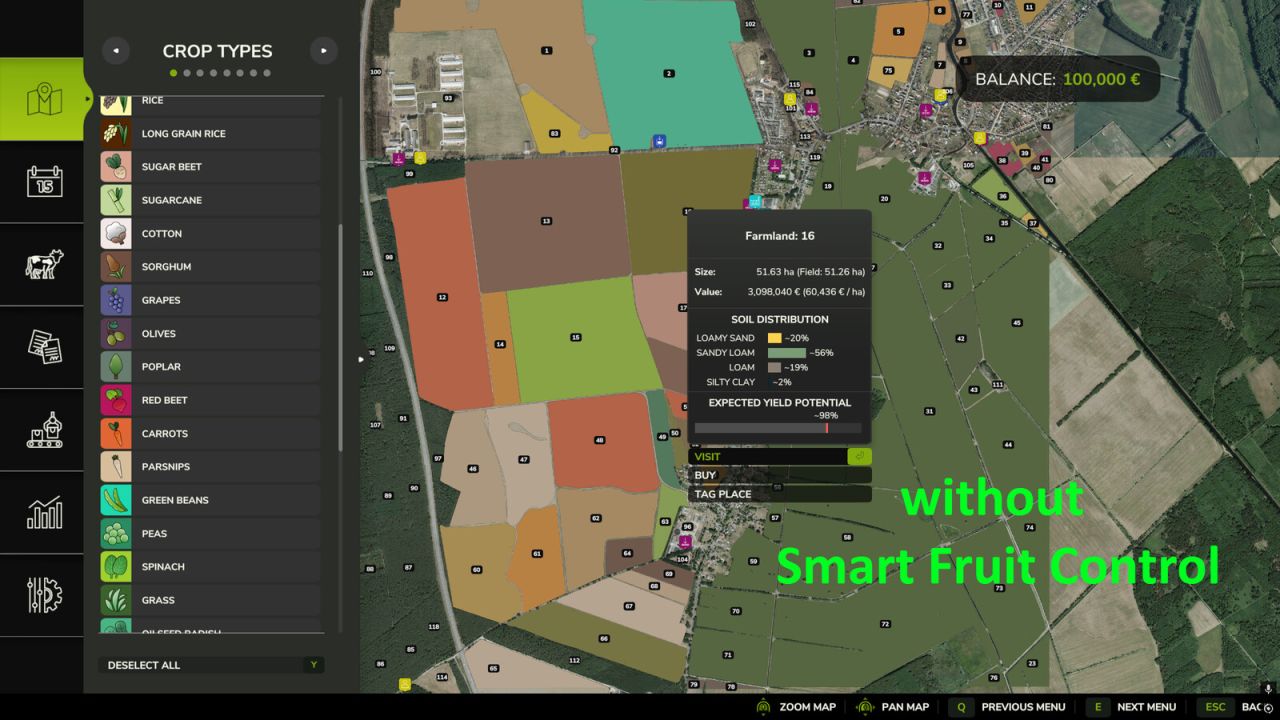
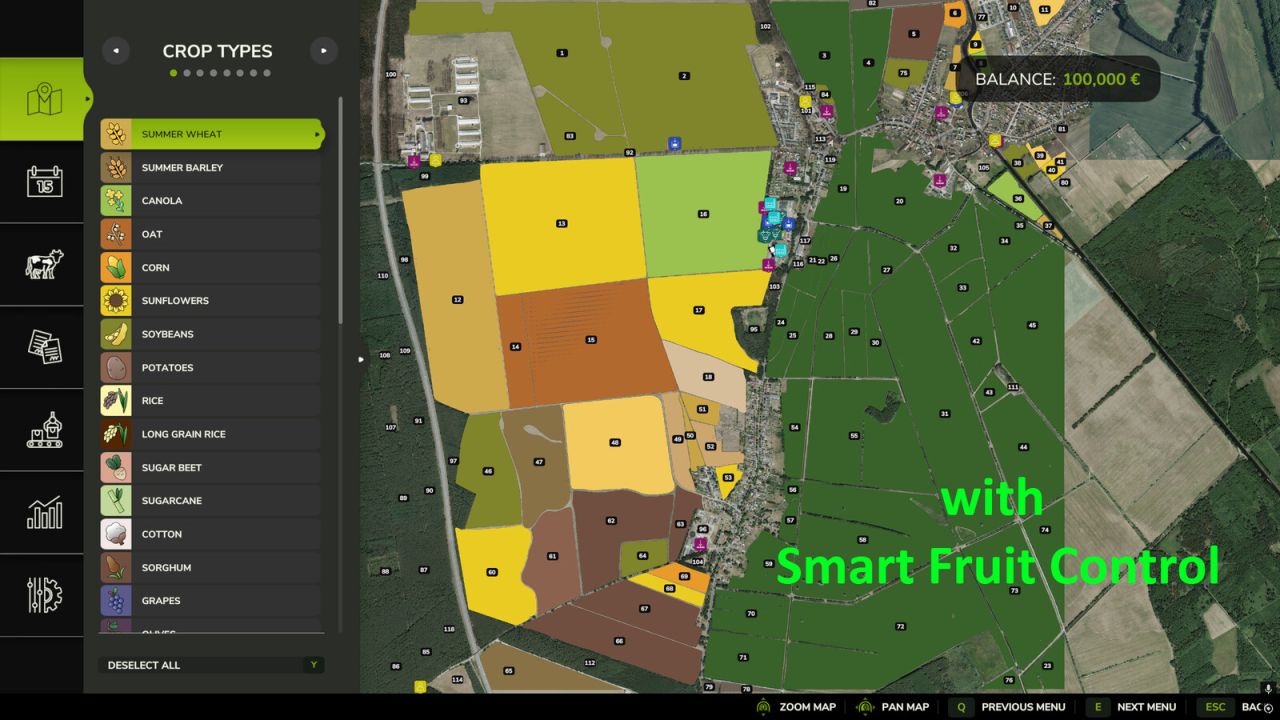
Are you tired of seeing root crops, spinach, peas, or green beans appear on large fields When starting a new savegame or during the course of a year?
Smart Fruit Control gives you full control over selected NPC-owned crops and their distribution based on field size.

The configurable probability settings are applied both when creating a new savegame and whenever NPC fields are replanned later in the game. This allows you to customize crop distribution to your liking and reduce the frequency of specialty crops on larger fields.

Smart Fruit Control currently manages the following crops:
Potatoes
Sugar Beets
Carrots
Parsnips
Beetroot
Green Beans
Peas
Spinach
Onions

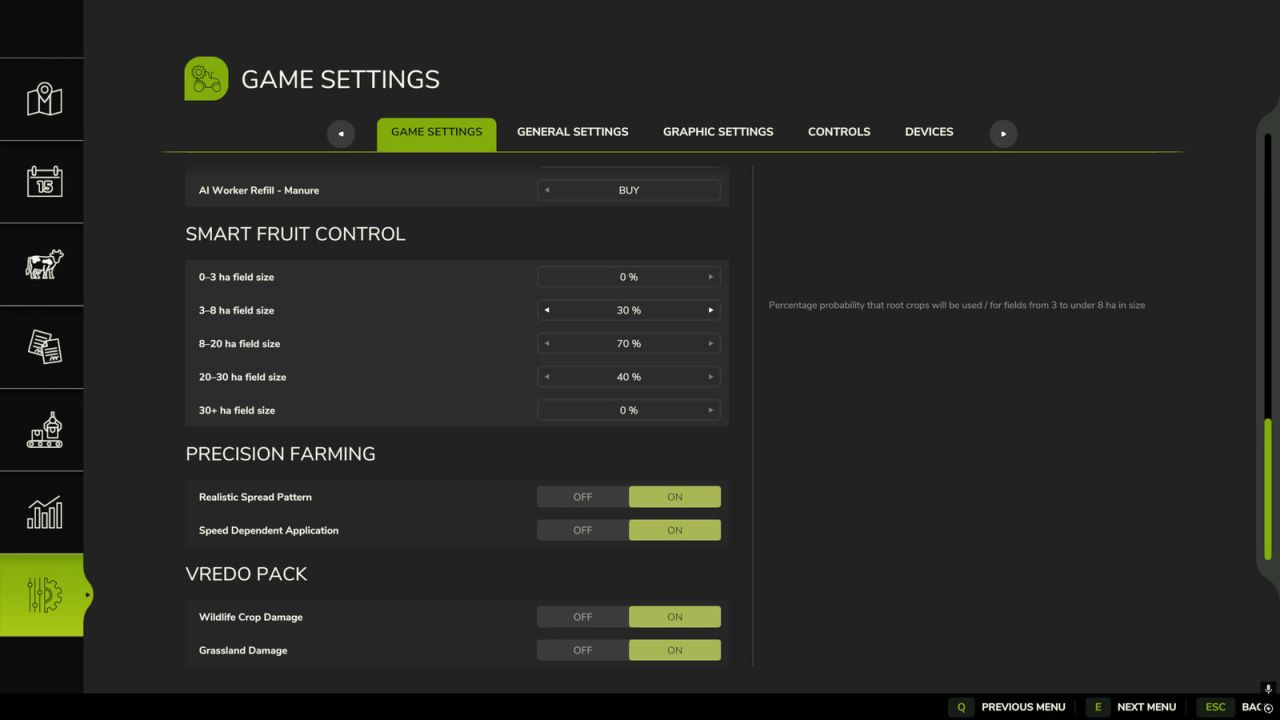
A dedicated settings section is available in the game settings menu. There you can configure individual probabilities
from 0% to 100% using convenient sliders for the following field size categories:
0–3 ha
3–8 ha
8–20 ha
20–30 ha
30+ ha

Fields owned by players or other player-controlled farms remain completely unaffected.
Smart Fruit Control only affects fields owned by NPCs.


Author: Razak


Report bugs in the comments and help modders improve this mod. Always check the comments, you can find a solution.


Helpful Information: How to install FS25 mods | FS25 System Requiremnts | FS25 Modding Tutorial | Giants Editor for FS25 | How to Convert mods | FS25 Cheats

More Misc mods


About Farming Simulator 25 mods
Farming Simulator 25 supports game modding for PC, Xbox, or PS5. FS25 Mod may change your game from small to complete changes. You can create a Farming Simulator 25 mod file and share it with our community. When is a good time to try Farming Simulator 25 mods? We recommend playing a game with these FS25 mods after you finish the Farming Simulator 25 starting pack and are bored with the game basics. So it's time to try new machines, such as harvesters or tractors, which are not included in the basic game version.
As you already know, Farming Simulator 25 developers support mods installation, which will add more vehicles or lands to your game. Check our Best FS25 mods lists for PC, Mac, PS5 or Xbox Series. Just follow these simple steps: choose the LS25 mods category, download the mod for the Farming Simulator 2025 version, and install it into the mod folder. Remember, all Farming Simulator 25 Mods are free, and download as many as you want with no limits. We want to create one of the biggest Farming Simulator 25 Community and invite you to share FS25 mods with everyone.

Leave a Reply

Do you need help or to say thanks to the mod author? Just leave a comment below!